










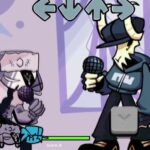

























Friday Night Funkin’ Cartman
About the Game
Friday Night Funkin' Cartman is a rhythm game that places Eric Cartman from South Park in the role normally occupied by Boyfriend. You guide Cartman through a series of musical battles against characters from the Friday Night Funkin' universe.
The game keeps the familiar arrow-based rhythm system. You watch the notes on screen and press the matching directions at the correct time. The available version is built with the Kade Engine and was released in May 2021.
🎤 Cartman Takes the Main Role
Eric Cartman is the central character throughout the game.
His appearance uses his recognizable blue and yellow hat, red sweater, brown pants, yellow gloves, and dark boots. He also holds a microphone during the musical battles.
The main idea is simple: Cartman takes part in musical battles and must defeat his opponents by keeping up with their note patterns.
🎵 Six Weeks of Musical Battles
The available game description lists six weeks of challenges.
During the campaign, Cartman faces characters from the Friday Night Funkin' universe. Confirmed opponents include:
- Mummy Mearest
- Pico
- Daddy Dearest
Each battle uses the standard rhythm gameplay. You need to press the correct directional keys as the notes reach their targets.
🎯 Timing Is the Key
The gameplay follows the familiar Friday Night Funkin' structure.
Notes appear on the screen and move toward their corresponding targets. Your job is to press the matching direction at the right moment.
A successful run requires:
- Watching the incoming notes.
- Pressing the correct arrow.
- Keeping your timing consistent.
- Avoiding repeated misses.
- Completing each musical battle.
Missing too many notes can cause you to lose the battle. (PlayMiniGames)
🎮 Simple Keyboard Controls
The control scheme is straightforward.
Desktop Controls
- Arrow Keys – Hit the notes
- Enter – Select options and move through interfaces
- Esc – Return to the previous interface
- + / - – Adjust the available song setting
The game listing specifically identifies the arrow keys as the main gameplay controls and Enter and Escape for menu navigation.
Mobile
- Tap the on-screen directional buttons to hit notes.
- Use the on-screen menu controls to select options.
- Follow the controls provided by the browser version if its layout differs.