










Stick Kombat 2d
About the Game
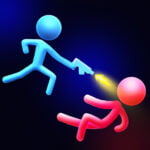
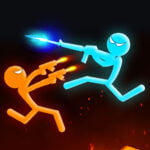
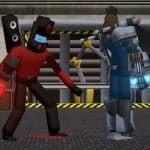
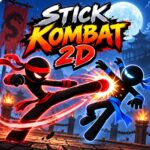
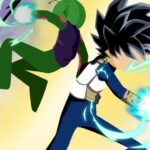
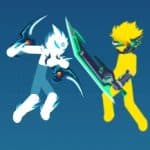
Stick Kombat 2D is a 2D fighting game where you control stick-figure fighters in one-on-one battles. You can use basic attacks, special moves, uppercuts, blocks, aerial attacks, and combos to defeat your opponent.
The game also includes Tower mode, character unlocks, several difficulty settings, Training, Random Effects, and local two-person battles. Mobile support is available for the single-player experience on supported versions.
🥊 Start With the Basics
Your main goal is simple: defeat the opponent before your health runs out.
Movement uses four directional inputs. Attacks use separate buttons, while special moves require specific button combinations. Blocking gives you a defensive option when an opponent starts an attack.
The combat system includes:
- Basic attacks
- Special attacks
- Secondary special attacks
- Uppercuts
- Blocking
- Aerial attacks
- Combos
- Stamina or special-resource management
- Defensive options
You need to pay attention to attack timing. Button mashing does not provide the same control as properly timed attacks.
⚔️ Pick From the Available Fighters
The documented game listings identify several fighters across the available progression system.
The starting selection includes:
- Reaper
- Red
- Lumis
Additional characters listed in the game include:
- Frost
- Nox
- Master
- Grom
- Lord
You can unlock additional fighters through Tower progression or use coins earned through gameplay, depending on the available progression option.
🗼 Tower Mode Gives You a Longer Goal
Tower mode focuses on consecutive fights.
You face groups of opponents and continue through the tower as you win battles. Character unlocks are also connected to this progression system.
This mode gives you more to work toward than a single standalone fight.
🎯 Training, Random Effects, and Two-Person Battles
Stick Kombat 2D provides several ways to play.
Training
Use Training to practice the game's combat controls and learn how attacks work.
1 Player
Fight computer-controlled opponents through the single-player modes.
Random Effects
This mode changes the conditions of battles with additional effects.
2 Player
Two people can use the same computer and control separate fighters. Current game listings describe this as local multiplayer.
⚡ Special Moves Use a Resource
Special attacks are not simply unlimited button presses.
Documented gameplay information describes a special gauge or resource that decreases when you use special attacks and recovers over time.
You can therefore choose when to use a special move instead of spending it immediately.
Useful combat inputs include:
- J: Basic attack
- K: Special attack
- Back + K: Secondary special attack
- S + J: Uppercut
- Hold S: Block
🥋 Air Combat Has a Role
An uppercut can launch an opponent into the air. You can then jump and continue the attack with an aerial strike.
This gives you another attack option beyond ground-based hits.
Your timing matters here. A missed jump or poorly timed attack can end the sequence.
🎚️ Six Difficulty Settings
The documented game information lists six difficulty choices:
- Auto
- Chick
- Weakling
- Fighter
- Berserker
- Demon
These settings give you different levels of computer-controlled opposition.
💰 Coins Help With Character Progression
Coins form part of the game's unlock system.
You can earn coins during gameplay and use them toward additional fighters. Tower progression can also provide a route to new characters.
This gives you a reason to continue playing after individual matches.
🎥 Simple Visuals With Combat Effects
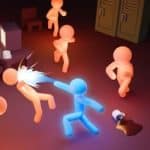
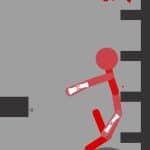
The game uses a stick-figure visual style.
Combat contains several effects that make attacks easier to notice, including:
- Camera shake
- Zoom effects
- Bright attack flashes
- Attack animations
- Special-move effects
These effects appear during combat and help highlight powerful attacks.
🎮 Game Controls
Single Player
- W / A / S / D: Move
- J: Basic attack
- K: Special attack
- Back + K: Secondary special attack
- S + J: Uppercut
- Hold S: Block
Two Player
Player 1
- W / A / S / D: Move
- F: Attack
- G: Special attack
Player 2
- I / J / K / L: Move
- : Attack
- ' / " key: Special attack
📱 Mobile Controls
- Use the virtual joystick for movement.
- Tap the attack button for basic attacks.
- Tap the special button for special attacks.
- Use any additional buttons shown on the screen for their assigned actions.