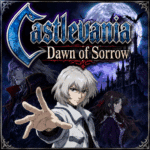

































Castlevania: Dawn of Sorrow
About the Game
Castlevania: Dawn of Sorrow is a Nintendo DS action-adventure game developed and published by Konami. It continues the story of Castlevania: Aria of Sorrow and follows Soma Cruz one year after the previous adventure. You return to Dracula's Castle to stop a cult that wants to create a new Dark Lord and revive Dracula's power.
After revisiting this game several times, one aspect still stands above the rest. Every room rewards exploration. New abilities, hidden passages, powerful weapons, and collectible souls constantly encourage you to search every corner of the castle. It remains one of the strongest Metroidvania games released for the Nintendo DS.
🏰 Dracula's Castle Holds Many Secrets
Your journey takes place inside a massive interconnected castle. As you explore, you will discover:
- Hidden rooms
- Secret passages
- Save points
- Warp rooms
- Powerful equipment
- Rare monster souls
- Optional treasures
Some areas stay locked until you earn new abilities later in the adventure. Returning to previous locations often rewards your curiosity.
⚔️ Master the Tactical Soul System
The Tactical Soul System returns from Castlevania: Aria of Sorrow. Defeated enemies have a chance to leave behind their souls. Each soul grants a different ability. Soul categories include:
- Bullet Souls
- Guardian Souls
- Enchanted Souls
- Ability Souls
Different combinations create completely different combat styles, so you can customize Soma Cruz to match your preferred approach.
🔨 Forge Stronger Weapons
Equipment plays an important role throughout the adventure. The Weapon Synthesis system lets you create stronger equipment by using:
- Weapons
- Monster Souls
- Required materials
Some rare souls have two valuable purposes. You can equip them for combat or use them during weapon creation. Choosing how to use these souls becomes an important decision.
👹 Boss Battles Test More Than Strength
Each major boss has unique attack patterns. Victory depends on:
- Learning attack timing
- Using the right weapon
- Equipping useful souls
- Avoiding damage
- Completing the Magic Seal after the battle
The touchscreen Magic Seal appears after every major boss. You must draw the correct symbol before the enemy can be defeated permanently.
🗺️ Exploration Never Stops
Progress depends on exploration instead of linear stages. During your adventure you will:
- Unlock new movement abilities
- Reach hidden castle sections
- Find stronger equipment
- Discover optional bosses
- Collect valuable items
- Search for every soul
The castle becomes larger each time you unlock another ability.
🎮 Nintendo DS Features
Konami built several Nintendo DS features directly into the game. Notable features include:
- Permanent map on the second screen
- Touchscreen Magic Seals
- Wireless multiplayer support
- Soul trading
- Enemy Set Mode
The second screen makes exploration much easier because the castle map remains visible throughout your journey.
🎵 Gothic Music and Detailed Visuals
Castlevania has always been known for its music. Dawn of Sorrow continues that tradition with memorable themes that match every castle area. The visual presentation also remains impressive. Highlights include:
- Detailed 2D environments
- Large animated bosses
- Smooth combat animations
- Gothic castle architecture
- Colorful spell effects
The sprite artwork still looks excellent on Nintendo DS hardware.
⭐ Why Dawn of Sorrow Still Stands Out
Many features continue to make this adventure memorable.
Key Features
- Direct sequel to Castlevania: Aria of Sorrow
- Tactical Soul System
- Weapon Synthesis
- Large interconnected castle
- Multiple endings
- Boss Rush Mode
- Julius Mode
- Wireless multiplayer
- Extensive equipment collection
- RPG character progression
🕹️ How to Play
Your objective is to stop the resurrection of Dracula's power and defeat the cult led by Celia Fortner. Throughout the adventure you will:
- Explore Dracula's Castle
- Defeat monsters
- Collect souls
- Upgrade equipment
- Craft stronger weapons
- Unlock new abilities
- Defeat powerful bosses
- Reach one of the game's endings
🎮 EmulatorJS Controls
Keyboard Controls
- D-Pad — Arrow Keys
- A Button — X
- B Button — Z
- L Button — A
- R Button — S
- Start — Enter
- Select — Right Shift
Mouse Controls
- Left Click — Touchscreen input for Magic Seals
- Click and Drag — Draw Magic Seal patterns during boss battles
Mobile Controls
- Virtual D-Pad
- On-screen A, B, L, and R buttons
- Touch controls for Magic Seals
- Start and Select buttons