





















Cube Online – Survival with Friends
About the Game
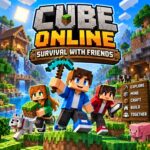
Cube Online - Survival with Friends is a 3D multiplayer survival sandbox where you collect resources, mine blocks, craft equipment, explore an open world, and build structures with friends. The game was developed by Itselb and is listed on Yandex Games with a July 17, 2026 release date. It supports English and Russian localization and has both computer and smartphone controls.
🌍 Build Your Own Block World
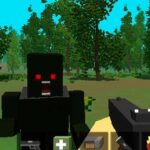
The main experience centers on a large 3D world made from blocks. You can mine through terrain, gather resources, create tools and weapons, and use collected materials for construction.
Your building options are open-ended. The official game description specifically mentions houses, castles, cities, tunnels, and secret bases. You can also work on larger construction projects together with friends through online servers.
⛏️ Mining, Resources, and Crafting
Resource collection forms an important part of survival mode.
You can break blocks to obtain materials, explore underground areas, and use the inventory to craft useful items. The documented crafting system covers tools and weapons, while third-party listings also describe decorative building blocks.
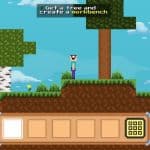
Your inventory is also the main place for crafting. On computer, E opens the inventory and crafting interface. You can select hotbar items with the mouse wheel or number keys 1–9.
What you can work toward
- Collecting useful resources
- Digging through the terrain
- Creating tools
- Crafting weapons
- Building shelters
- Constructing larger structures
- Exploring underground areas
- Working on shared projects
🤝 Cooperative Play With Friends
Multiplayer is one of the game's main features. You can join servers and work together on construction, mining, exploration, tunnels, and secret bases. The official listing also mentions the option to compete over who can build an impressive structure.
The server menu and chat system provide direct ways to manage multiplayer sessions and communicate while playing. On computer, M opens the server menu and T opens chat.
This structure gives you several ways to approach a session:
- Gather resources for the group.
- Mine underground areas.
- Work on the main base.
- Build separate structures.
- Explore the surrounding world.
- Coordinate through in-game chat.
🧭 What Gives Each Session a Goal?
A notable feature is the presence of unique tasks for each session. These tasks provide additional objectives inside the open-ended survival environment.
The available sources do not provide a complete official list of every task or a fixed reward table. For that reason, specific quest names and rewards should not be treated as confirmed information.
🏗️ Creative Construction
Playgama's current documentation also lists creative flight controls. You can press Space twice to enter flight mode in creative play, while G provides faster flight.
This gives construction-focused sessions a different control setup from standard survival play. You can work above ground without relying solely on normal jumping and walking.
🎮 Game Controls
| Action | Control |
|---|---|
| Move | WASD |
| Sit | Shift |
| Jump | Space |
| Open inventory / craft | E |
| Server menu | M |
| Chat | T |
| Third-person view | C |
| Pause | Tab / Esc |
| Break block | Left Mouse Button |
| Place block | Right Mouse Button |
| Take half of an inventory stack | Right Mouse Button |
| Select item | Mouse Wheel |
| Select hotbar item | 1–9 |
| Creative flight | Space twice |
| Fast creative flight | G |
📱 Mobile Controls
- Left side of screen: Movement
- Right side of screen: Camera control
- Hold a block: Break the block
- Tap a block: Place the block
- Up-arrow: Jump
- Up-arrow twice: Creative flight
- Down-arrow: Sit
- Inventory icon: Open inventory and craft
- Hold an inventory item: Take half of the stack
- Chat icon: Open chat
- Pause icon: Pause
- Server menu icon: Open the server menu