




















Dragon: Sky Ruler
About the Game
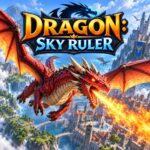
Dragon: Sky Ruler is a 3D arcade adventure game where you control a dragon during aerial missions. You can fly over city areas, avoid obstacles, collect coins, grab objects, attack rivals with fire, and use a speed boost. The game also includes different dragon appearances and a rescue-focused storyline.
🐉 Take Control of Your Dragon
Your dragon is the main character throughout the adventure. Flying is the core part of the gameplay.
You can control your altitude, direction, speed, and attacks while moving through different areas. The control system gives you separate actions for flying, grabbing, firing, and boosting.
The documented keyboard controls are:
- W / Up Arrow: Take off
- S / Down Arrow: Dive
- A / D: Move left or right
- Left / Right Arrow: Move left or right
- E: Grab
- Space: Fire
- Shift: Boost
These controls give you direct control over the dragon during aerial sections.
🏙️ Fly Above the City
The main environment includes a large city with buildings, roads, and open areas.
You can fly between structures and through different sections of the map. Other locations shown in the available game material include grassy areas, rocky terrain, houses, cliffs, and open landscapes.
The aerial viewpoint makes altitude control important. You need to use the available vertical movement when an obstacle blocks your route.
🔥 Fire Is Your Main Weapon
Your dragon can attack rivals with fire.
The Space key activates the documented fire action on keyboard controls. Combat takes place during your flight rather than through a separate ground battle system.
You can use the fire attack while continuing to control your dragon's movement.
🪙 Collect Coins Along the Way
Coins appear as collectibles during your adventure.
You can collect them while flying through the environment. Available game information states that coins can be used for new dragon appearances and improvements.
The public documentation does not provide a complete list of all unlockable appearances or the exact cost of every item.
🏔️ Different Landscapes to Explore
The available game material shows more than one type of environment.
You can encounter areas with:
- Tall city buildings
- Green terrain
- Rocky cliffs
- Houses
- Elevated landscapes
- Open outdoor areas
The city remains an important part of the setting, but the documented visuals show additional outdoor locations.
🐲 Choose From Different Dragon Appearances
Dragon: Sky Ruler includes different visual appearances for your dragon.
Available screenshots show dragons with different color schemes and visual designs. Coins can be used to obtain new appearances according to the current game description.
The exact number of available designs has not been clearly documented in the public sources, so no fixed number is stated here.
🎮 How to Play
Keyboard Controls
- W / Up Arrow: Take off
- S / Down Arrow: Dive
- A / D: Move left or right
- Left / Right Arrow: Move left or right
- E: Grab
- Space: Fire
- Shift: Boost
📱 Mobile Controls
- Use the on-screen movement controls to guide your dragon.
- Use the available controls for altitude changes.
- Use the attack control to fire.
- Use the interaction control when grabbing objects.
- Use the boost control when speed assistance is available.