
































Naruto: Battle for Leaf Village
About the Game
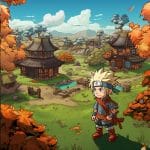
Naruto: Battle for Leaf Village is a 2D action game based on the Naruto anime. You control Naruto as he defends Konoha from an attack by enemy ninja and other creatures. The game was released as a Cartoon Network Flash game and uses simple keyboard controls for movement, melee attacks, and ninja weapons.
The story takes place during the Chunin Exams. Orochimaru has raised an army and plans to attack the Hidden Leaf Village. Your job is to fight through the invading forces and eventually face stronger opponents, including Gaara.
🍃 Defend the Hidden Leaf Village
The attack starts while the Chunin Exams are taking place. Naruto must move through different areas and defeat the enemies that appear in each location.
The game gives you direct control over Naruto rather than using a menu-based combat system. You move around the map, attack enemies, collect weapons, and use chakra-based abilities during the fights.
- You play as Naruto Uzumaki.
- The story centers on an attack against Konoha.
- Orochimaru is responsible for the invading army.
- Sound and Sand ninja appear as enemies.
- Some areas also contain large creatures such as snakes.
- Later sections include boss encounters.
- Gaara is one of the important later opponents.
⚔️ Simple Controls, Direct Combat
The controls are easy to learn. The arrow keys handle Naruto's movement, while two buttons control his attacks.
Your regular attack uses the Spacebar. The X key handles your ranged weapon or special ninja weapon. This gives you two basic ways to deal with enemies: fight at close range or attack from a distance.
Game Controls
- Arrow Keys — Move Naruto
- Spacebar — Normal attack
- X — Ranged weapon / ninja weapon
🥷 Collect Weapons During the Fight
Weapons are an important part of the combat system. Enemies can leave weapons behind after you defeat them, so you can pick them up and use them against other enemies.
Some weapons provide a stronger attack than Naruto's regular move. There is also a recharge period for these more powerful weapons, so you cannot use them continuously.
This gives you a reason to pay attention to what enemies leave behind instead of relying only on the normal attack.
🔥 Chakra Gives You More Options
Naruto can also use chakra-based techniques during the game. The chakra meter needs to be filled before you can use these abilities.
The game includes techniques such as Shadow Clone Jutsu, along with other chakra-based attacks. Different power-ups can provide abilities such as clones, explosives, shuriken, and increased speed.
Keep an eye on your chakra meter during difficult fights. Special techniques can give you another way to deal with groups of enemies.
🗺️ Multiple Areas to Fight Through
The game is divided into different locations rather than one continuous battlefield. Each level has its own map layout and enemy waves.
You need to defeat the enemies in an area before you can continue to the next part of the game. The level system also controls the enemy waves and map sections separately, which gives each stage its own setup.
As you progress, you encounter different groups of enemies and eventually reach stronger battles.
🐍 Watch Out for the Creatures
The enemy roster is not limited to ninja.
Some sections contain large creatures, including snakes and dragons. You therefore need to adjust your attacks depending on the enemy in front of Naruto.
The game also includes groups of Sound and Sand ninja, which fit the Chunin Exams storyline.
🍜 Ramen Can Restore Your Health
Naruto's favorite food also has a practical purpose in the game.
When Naruto takes damage, you can collect ramen to recover health. This makes health pickups useful during longer fights, especially when several enemies appear together.
Keep an eye on the area after a fight. A health pickup can help you continue without losing the stage.
🏟️ The Chunin Exams Set the Scene
The first chapter takes place at the Stadium, where the attack begins during the Chunin Exams. From there, Naruto moves through other areas while fighting the forces attacking the village.
The game's story therefore connects its action directly to one of the major events from the Naruto storyline.
👊 What You Can Do as Naruto
You have several combat options instead of relying on one attack.
- Punch enemies with the normal attack.
- Use ranged ninja weapons.
- Collect weapons dropped by defeated enemies.
- Use chakra-based techniques.
- Recover health with ramen.
- Move around enemies to avoid taking unnecessary damage.
- Fight through enemy waves.
- Progress through different areas.
- Face stronger opponents as you advance.
🎯 A Good Way to Approach the Combat
The normal attack works well when an enemy is close to Naruto. You can use the ranged weapon when you want to attack without standing directly beside an opponent.
Try not to waste your stronger weapons as soon as you collect them. Since they need time to recharge, saving them for groups of enemies can be useful.
A few simple tips:
- Use the Spacebar for regular close-range attacks.
- Use X when you need a ranged attack.
- Keep moving when several enemies surround you.
- Pick up dropped weapons when available.
- Watch your chakra meter before attempting a special technique.
- Collect ramen when your health is low.
- Save stronger weapons for larger groups or tougher enemies.
👹 Orochimaru's Attack
The game's story starts with Orochimaru raising an army during the Chunin Exams. Naruto must fight these forces before they can complete their attack on Konoha.
The enemy forces include Sound and Sand ninja, while some stages also contain large creatures. The battles eventually lead toward boss encounters, with Gaara among the notable opponents.
🏆 The Battle Against Gaara
Gaara is one of the most important characters in the game's later progression. The game's creator portfolio specifically describes Naruto's journey as leading to an eventual showdown with Gaara.
This gives the game a clear progression: you start by dealing with ordinary enemies and gradually work toward more important battles.