






































PokePath TD
About the Game
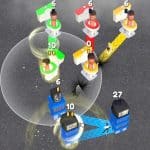
PokePath TD is a Pokémon-inspired tower defense game created by Khydra. Instead of traditional Pokémon battles, your goal is to stop waves of enemies by placing Pokémon along a route. Every victory earns experience, resources, and stronger team members for future stages. Progress does not reset after every defeat. Your Pokémon keep their levels, so each attempt helps you prepare for harder routes.
🛡️ Defend Every Route
Each stage contains a path that enemies follow.
Your Pokémon attack automatically after you place them on valid terrain. Positioning matters because attack range, abilities, and enemy movement all influence the outcome.
The current version includes:
- Multiple routes to unlock.
- Enemy waves with increasing difficulty.
- Elite enemies on later waves.
- Boss battles.
- Automatic attacks after deployment.
- Persistent Pokémon progression between attempts.
🌱 Your Pokémon Continue to Grow
Leveling is one of the game's biggest progression systems.
Pokémon gain experience through battles. Many Pokémon can evolve after reaching the required level, which improves their combat performance.
Your progress remains available even if you lose a stage. This system encourages you to strengthen your team before attempting more difficult maps.
⚙️ Team Building Matters
Every Pokémon has different characteristics.
Some work better against groups of enemies, while others perform best against stronger targets. Choosing the right combination often produces better results than relying on a single powerful Pokémon.
Recent updates also include:
- Equippable items.
- Pokémon abilities.
- Team management improvements.
- Drag-and-drop party organization.
- Saved team presets.
These features appear in the official developer patch notes.
⏸️ Auto Mode for Longer Sessions
PokePath TD includes an Auto Mode.
This option helps you repeat stages for experience and resources without constant interaction. The official game description also mentions that you can continue farming while away from the keyboard.
🎮 Game Controls
PC
- Mouse — Place Pokémon and interact with menus.
- Left Click — Select Pokémon, deploy units, upgrade, and manage your team.
- Right Click — Open Pokémon information.
- Mouse Wheel — Zoom the battlefield.
- X — Show or hide attack ranges.
- Shift — Change game speed.
- Spacebar — Pause an active wave.
Mobile
The browser version supports touch controls.
- Tap to select Pokémon.
- Tap valid tiles to deploy units.
- Tap interface buttons to manage your team.
💡 Gameplay Tips
- Upgrade your existing team before unlocking harder routes.
- Watch each Pokémon's attack range before deciding where to place it.
- Keep several team compositions if different routes require different strategies.
- Export your save file regularly. The developer recommends backing up saves before major updates.