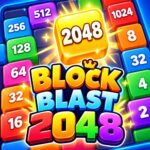




























Block Blast 2048
About the Game
Block Blast 2048 is a number puzzle game where you connect matching blocks on a 5×7 board and merge them into higher values. You can join blocks horizontally, vertically, or diagonally. Your goal is to create larger numbers, reach 2048 and continue beyond it while keeping useful spaces open on the board.
🧩 How Block Blast 2048 Works
You start with numbered blocks across the board. Look for two or more connected blocks with the same value.
Select one block from the matching group. The connected blocks merge into one higher-value block.
For example:
- 2 + 2 = 4
- 4 + 4 = 8
- 8 + 8 = 16
- 16 + 16 = 32
Larger connected groups can create a larger value in one move.
The official game uses a 5×7 grid, so you have a limited amount of space for your numbered blocks.
🔢 Your Main Goal
Your main target is to create a 2048 block and continue to higher numbers.
The game does not stop its number system at 2048. You can continue making larger values and work toward a higher score.
Your score and board position both matter. A useful merge can create another matching group immediately.
🔗 Look for Chain Merges
A good move can set up your next move.
Suppose you merge several blocks into an 8. If another 8 sits next to the new block, you may have another merge available.
The position where you select the group is important because the merged block remains at the selected location.
You should therefore inspect the surrounding blocks before every major merge.
🏆 Score More With Better Positioning
Block Blast 2048 includes a leaderboard system.
You can work on your score while trying to create increasingly larger numbered blocks.
A high-value merge is useful, but the location of the resulting block also matters. A poor position can reduce your next available options.
From a gameplay-analysis perspective, this makes the game more than a simple number-matching exercise. You need to check the surrounding blocks before selecting a group.
🕹️ Game Controls
Desktop Controls
- Mouse: Select blocks and interface buttons.
- Left Click: Select a connected group of matching blocks.
- Booster Buttons: Select Swap or Hammer when available.
Mobile Controls
- Tap: Select a block or interface button.
- Tap a matching group: Start the merge.
- Tap Swap: Use the Swap booster when available.
- Tap Hammer: Remove a selected block when the booster is available.