












Boxteria: Ragdoll Sandbox Playground
About the Game
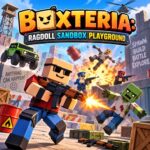
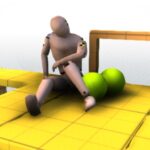
Boxteria: Ragdoll Sandbox Playground is a 3D sandbox shooter and physics game. You can create your own battle scenes with characters, weapons, vehicles, structures, and traps. The game uses ragdoll physics to determine how characters react to impacts and other forces.
🎮 Build Your Own Battlefield
The main sandbox gives you control over the setup.
You can choose characters and objects, place them around the map, and then start a battle. The available character types include:
- Bandits
- Zombies
- Police
- Villagers
You can also place cars, weapons, structures, and other objects before the battle starts.
This setup gives you direct control over the scenario instead of following a fixed sequence of missions.
💥 Weapons and Physics Work Together
Boxteria has several weapons with different uses.
The documented weapons include:
- Pistols
- Miniguns
- Rocket launchers
- Grenades
- Gravity gun
The gravity gun has a special function. It can use objects from the environment as ammunition.
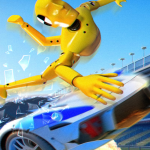
Ragdoll physics is another central part of the gameplay. Characters react to impacts and other physical forces. You can also use slow motion to watch these reactions more closely.
🚗 Cars Are Part of the Action
Vehicles have an important role in the sandbox.
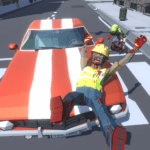
The game has more than 20 drivable cars according to its Android listing. You can drive them around the maps, use ramps, drift, and create vehicle-based scenarios.
Cars also work well with the game's physics systems. Crashes and collisions can become part of the sandbox setup.
🗺️ Three Documented Maps
Boxteria has several environments for your battles.
Red Square
This urban map contains buildings, cover, rooftops, ramps, and explosive objects.
Russian Village
This map uses a village setting for combat and vehicle activities.
Courtyard
This area provides another environment for character battles, vehicles, and object interaction.
The different layouts give you different spaces for arranging your scenarios.
🧰 Creative Tools Give You More Control
The Creative 2.0 update expanded the sandbox toolkit.
The documented update includes:
- Structures
- Items
- Traps
- 25 new models
- An updated Build Tool
The Build Tool provides options for positioning objects with greater control. You can rotate objects, change their height, adjust their distance, freeze them, or remove them.
This makes the sandbox more useful for custom battle setups.
🪤 Set Up Traps
Traps form another part of the current sandbox toolkit.
Documented trap types include:
- Bear traps
- Spikes
- Mines
- Barrels
- Gas canisters
You can place these objects around the environment before starting a battle.
The system gives you another way to control the battlefield without relying only on firearms.
🧟 Horde Mode Changes the Pace
Horde mode provides a structured survival experience.
You select a class and fight against waves of zombies. Allies can fight beside you, while supplies help you continue through the encounters.
The documented mode also includes a giant boss at the end.
This mode differs from the open sandbox because the objective centers on surviving successive zombie waves.
🌗 Day and Night Can Change During Battles
The game supports a day-and-night cycle.
According to the documented game description, the environment can change from daytime to nighttime while a battle continues.
This cycle works as an environmental feature within the sandbox.
🏗️ Use the Build Tool
The Build Tool has several documented controls.
You can:
- Preview an object before placement
- Rotate it
- Raise it
- Lower it
- Move it closer
- Move it farther away
- Freeze it
- Delete it
These options are useful when you want precise control over structures and other objects.
🧪 Try Different Sandbox Setups
The game's design gives you room to test different combinations of objects.
You can create setups such as:
- Police against bandits
- Zombies against armed characters
- Vehicle-based battles
- Trap-filled areas
- Large groups fighting in an urban map
- Zombie survival scenarios in Horde mode
🖥️ Game Controls
| Action | Control |
|---|---|
| Move | W A S D |
| Look / Aim | Mouse |
| Shoot / Spawn | Left Mouse Button |
| Change weapon or tool | Mouse Wheel |
| Reload | R |
| Jump / Drift brake | Space |
| Creative menu | Tab |
| Enter / Exit car | E |
| Start battle | V |
| Slow motion | T |
| Settings | Esc |
📱 Mobile Controls
- Left joystick: Move your character
- Right side of screen: Aim
- Shoot button: Fire your equipped weapon
- Jump button: Jump
- Spawn controls: Open and use spawning functions
- Vehicle button: Enter a vehicle when available