





























Grand Drive Auto: Vice Miami
About the Game
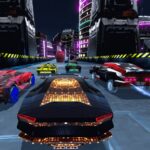
Grand Drive Auto: Vice Miami is a 3D open-world action and driving game set in a city inspired by Miami. It focuses on car driving, street exploration, shooting, police pursuits, and mission-based activities. The city offers opportunities for both free exploration and objective-based gameplay. You can travel through urban streets, enter different vehicles, leave the car for on-foot action, and deal with enemies or police encounters. The combination of driving and third-person combat forms the main part of the experience.
🌆 Explore the Streets of Vice Miami
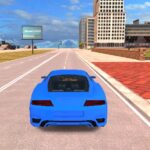
The game takes place in a large urban environment with roads, neighbourhoods, and different areas to explore. Free driving is one of the main activities. There is also an option to leave vehicles and explore the surroundings on foot.
Some available activities include:
- Driving through different city districts.
- Exploring streets and urban areas.
- Finding and entering available vehicles.
- Travelling between mission locations.
- Exploring the city without following objectives.
- Using alternative routes during police pursuits.
The map helps identify mission destinations and objective locations. Learning the road layout can also help during vehicle escapes.
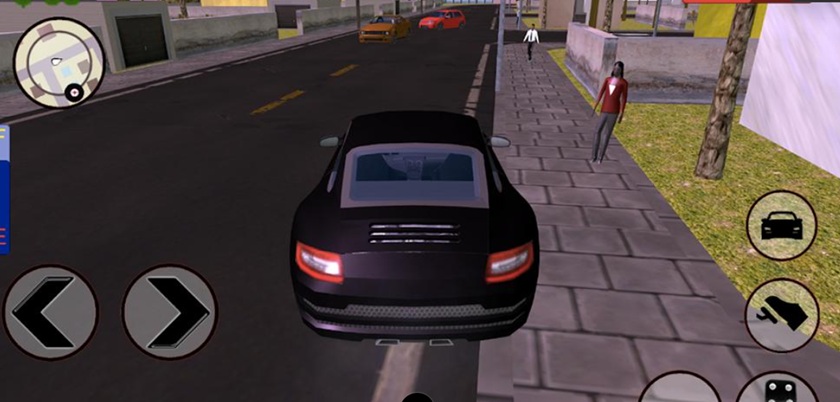
🚗 Take Control of Different Vehicles
Vehicle driving plays an important role in Grand Drive Auto: Vice Miami. Several types of vehicles are available throughout the city. Each vehicle offers a different driving experience.
The main driving mechanics include:
- Acceleration and steering.
- Braking and reversing.
- Handbrake operation.
- Sharp turns and vehicle manoeuvres.
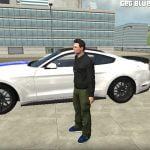
- Entering and exiting vehicles.
- Driving through city traffic.
- Escaping police vehicles.
Sports cars offer higher speeds, while heavier vehicles have greater collision resistance according to the game's published gameplay descriptions. Vehicle selection can therefore influence how different situations are approached.
🚔 Escape the Police Pursuit
Police encounters are another important part of the gameplay. Certain actions can attract police attention and trigger vehicle pursuits.
The escape sequences require careful driving and route selection. Sharp turns and alternative streets can help create distance from pursuing vehicles.
Some useful activities during police encounters include:
- Driving through different streets to avoid police cars.
- Using sharp turns during pursuits.
- Switching vehicles when necessary.
- Moving away from the pursuit's starting area.
- Leaving the vehicle when an on-foot escape is more practical.
Police pursuits provide another objective beyond ordinary city exploration.
🔫 Shooting and On-Foot Combat
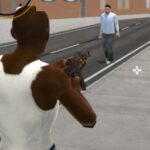
Driving is only one part of the experience. Grand Drive Auto: Vice Miami also includes third-person shooting and on-foot combat.
The character can move around the city, aim weapons, shoot enemies, sprint, and jump. Some mission objectives involve combat encounters with groups of enemies.
Important combat activities include:
- Aiming and shooting with mouse controls.
- Moving around the environment on foot.
- Sprinting to cover distances.
- Jumping over obstacles.
- Fighting enemies during missions.
- Switching between vehicle driving and combat.
The game lacks a fully documented weapon catalogue, so this guide doesn't list individual weapon names or statistics.
🏙️ 3D Graphics and City Environment
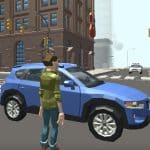
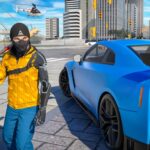
The game uses a third-person camera and 3D city environments. The camera keeps the character and surrounding vehicles visible during driving and on-foot activities.
The main environmental elements include:
- Miami-inspired city streets.
- Urban roads and neighbourhoods.
- Drivable vehicles.
- Police cars.
- Outdoor exploration areas.
- Locations for mission objectives.
The third-person perspective also makes it easier to observe nearby vehicles and surroundings during police pursuits.
🕹️ Game Controls
| Key | Action |
|---|---|
| W | Move forward / Accelerate |
| A | Move left / Steer left |
| S | Move backward / Brake |
| D | Move right / Steer right |
| Left Mouse Button | Aim and shoot |
| Right Mouse Button | Handbrake |
| Spacebar | Jump |
| Shift | Sprint / Vehicle horn |
| F / Enter | Enter or exit vehicle |
| Esc | Open menu / Pause |
Mobile Controls
- On-screen joystick for character movement and driving.
- Touch buttons for shooting and other actions.
- Jump button for character movement.
- On-screen vehicle interaction controls.
Player Comments
0Nobody has commented on this game yet. Be Player One and leave the first comment!