













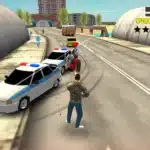

Sandbox City
About the Game
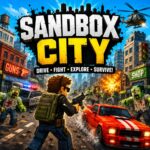
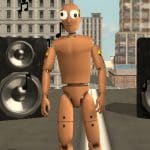
Sandbox City is a 3D open-world zombie action game from Yilmaz Kiymaz. You can explore a city on foot, drive different vehicles, fight zombies, complete missions, collect money, and purchase equipment. The game also uses ragdoll physics and a dedicated slow-motion mode.
🧟 A City Under a Zombie Outbreak
The main objective is simple. You must help protect Sandbox City from the zombie outbreak.
Your missions start with Mission Guy, who gives you the basic introduction and points you toward the first objectives. The campaign includes tasks such as talking to Mission Guy and entering your home.
Daily missions provide additional objectives. Current examples include:
- Defeat zombies with a gun.
- Defeat zombies with melee weapons.
- Use the subway.
- Claim the daily reward.
Mission rewards come in the form of in-game cash.
🚗 Cars Are Part of Your Survival Tools
Cars are an important part of Sandbox City.
You can walk through the streets or enter available vehicles. The documented vehicle selection includes:
- Taxis
- Police cars
- Ambulances
- Vans
- Other AI-controlled vehicles
You can use vehicles for transportation and to run over zombies.
The game also supports a vehicle handbrake function. The Space key handles this function while you are driving.
🔫 Weapons and Combat
You have access to both melee and ranged weapons.
The current documented shop includes weapons such as:
- Baseball Bat
- Tennis Racket
- Grenade
- MP-40
- Assault Rifle
You can earn cash from melee attacks, ranged attacks, and vehicle takedowns. Your cash can then be spent in the Shop on equipment and other available items.
The combat system also works with the game's physics system. Hits and vehicle collisions can produce physical ragdoll reactions.
⏱️ Try the Slo-Mo Mode
Sandbox City has a dedicated Slo-Mo mode.
On the browser version, you can press T to switch slow motion on or off. The feature works alongside the game's physics systems and is particularly relevant to combat and collisions.
💰 How the Money System Works
Money gives you access to equipment in the Shop.
You can earn cash through several activities:
- Campaign missions
- Daily missions
- Zombie kills
- Melee attacks
- Gun attacks
- Road kills
- Cash pickups
- Cargo drops
- Daily rewards
The current browser listing also documents a free daily ammunition pack and other ammunition purchases in the Shop.
📦 Search the City for Pickups
The city contains wooden cargo crates and cash pickups.
Cargo crates can contain useful pickups. The current game documentation lists money, health, boosts, weapons, and accessories among the pickup types introduced through the game's item systems.
These resources give you another reason to explore areas outside your immediate mission objective.
🚇 Subway Travel
The city has a subway system that you can use for transportation.
The subway also appears as a Daily Mission objective. This gives the underground transport system a direct connection to the game's mission structure.
👕 Customize Your Character
Character customization is another substantial part of the game.
The documented customization system includes hundreds of items. Earlier update information listed more than 400 customization items across categories such as:
- Hats
- Hairstyles
- Facial hair
- Masks
- Backpacks
Vehicle customization is also available in the current version.
🌆 What You Can Do in the City
The main gameplay loop covers several activities:
- Explore the open city.
- Fight zombies with melee weapons.
- Use firearms.
- Drive AI vehicles.
- Run over zombies.
- Complete campaign missions.
- Complete daily missions.
- Collect cash.
- Open cargo pickups.
- Visit the Shop.
- Use the subway.
- Buy and decorate a home.
- Customize your character.
- Customize vehicles.
- Experiment with ragdoll physics.
- Use Slo-Mo mode.
The game does not restrict you to one type of activity. Its documented systems cover exploration, combat, driving, missions, customization, and physics-based interactions.
🎮 Game Controls
The current browser controls are documented as follows:
| Action | Keyboard Control |
| Move | WASD / Arrow Keys |
| Attack / Shoot | Left Mouse Button |
| Run | Shift |
| Jump | Space |
| Handbrake in Car | Space |
| Enter / Exit Car | E |
| Buy Items | E |
| Switch Weapons | R |
| Slo-Mo Mode | T |
| Change Camera | C |
| Lock / Unlock Mouse | L |
| Quit | Esc |