



















Playground Man
About the Game
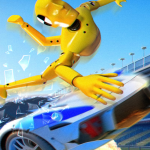
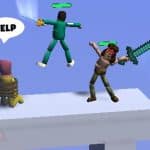
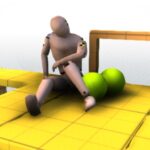
Playground Man! Ragdoll Show! is a 3D physics puzzle game where you control a wooden stickman and interact with objects around each level. Your goal is to complete different scenarios by using gravity, collisions, movement, and object positioning. Cars, bowling balls, gym equipment, ropes, stairs, seesaws, and other objects appear in the documented levels.
🧍 Meet the Wooden Stickman
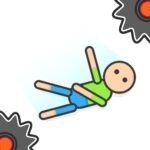
You control a wooden ragdoll inside a 3D environment. Its body reacts to physical impacts and gravity.
You can grab the stickman with your mouse or touch controls. You can then move it to a different position before releasing it.
The ragdoll can fall, bounce, collide with objects, and react to different hazards.
🧩 Each Scene Gives You a Task
The game uses individual physics scenarios. Each scene has an objective that you need to complete.
The documented scenarios include situations such as:
- A bowling ball hitting the stickman.
- A spiked seesaw interacting with the ragdoll.
- A car falling after a rope is cut.
- The stickman moving down stairs.
- A gym bar falling onto the character.
- Vehicles interacting with the ragdoll.
- Scenes with more than one stickman.
You need to examine the available objects before deciding what to move.
⚙️ Physics Controls the Action
The physics system is the central gameplay mechanic.
Gravity affects falling objects. Collisions affect the ragdoll. Moving objects can transfer momentum when they hit the character or another object.
This creates several possible interactions within a level.
Important physics elements:
- Gravity
- Momentum
- Collisions
- Falling objects
- Ragdoll movement
- Object positioning
- Chain reactions
The result can change when you use a different position or direction.
🎯 Your Positioning Matters
The basic controls are simple. The puzzle comes from deciding where to place the ragdoll or another object.
You can first inspect the scene. Then you can identify the objects that may affect the objective.
A useful approach is:
- Check the starting position.
- Look at the surrounding objects.
- Identify possible hazards.
- Select an interactive object.
- Move it into position.
- Release it.
- Check the result.
- Try another position if the objective is not completed.
This process is particularly useful in physics-based stages where object placement affects the final collision.
🚗 Use the Environment Around You
Several documented levels use environmental objects as part of their objectives.
Cars can move or fall. Bowling balls can strike the ragdoll. Gym equipment can fall onto the character. Ropes can control when an object drops.
Stairs, seesaws, platforms, and other structures also appear in the game's scenarios.
Objects documented in gameplay include:
- Cars
- Bowling balls
- Gym bars
- Ropes
- Stairs
- Seesaws
- Platforms
- Other environmental obstacles
🎮 How to Play
Desktop Controls
| Action | Control |
|---|---|
| Select character | Left Mouse Button |
| Move character | Hold and drag |
| Select object | Left Mouse Button |
| Move object | Click and drag |
| Release character/object | Release Left Mouse Button |
Mobile Controls
- Touch: Select the stickman or an interactive object.
- Drag: Move the selected character or object.
- Release: Drop the selected character or object.