






























Soccer Aiming Simulator in 3D
About the Game
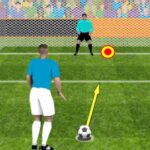
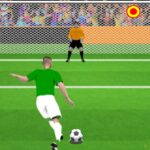
Soccer Aiming Simulator in 3D is a browser-based 3D soccer game. You control soccer actions with your mouse on desktop or touch controls on mobile devices. The main gameplay centers on aiming, passing, shooting, power control, and defensive interceptions.
⚽ How Soccer Aiming Simulator in 3D Works
Your main task is to control the ball with accurate mouse or touchscreen input. You hold the input, adjust the direction and power, then release it.
This system applies to passing and shooting.
You can use it to:
- Aim toward a teammate.
- Send the ball across open space.
- Adjust the strength of a pass.
- Aim shots toward the goal.
- Try to send the ball beyond the goalkeeper.
- Intercept an opponent's pass when defending.
The control system stays simple. Your accuracy matters more than a large collection of buttons.
🎯 Aim First, Then Control the Power
The main mechanic revolves around two things: direction and power.
You can move your mouse while holding the button to adjust the intended path. The amount of input also controls the strength of the action. You then release the button to make the pass or shot.
A useful approach is to consider the distance before releasing.
For shorter passes
Use less power and keep the target nearby.
For longer passes
Use more power and give yourself enough space for the ball to travel.
For shots
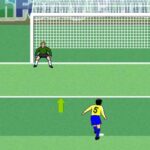
Look at the goalkeeper's position before you release the input.
🥅 Getting Past the Goalkeeper
Scoring requires more than simply aiming toward the goal. The goalkeeper can stop your attempts, so shot direction matters.
You can adjust your aim before releasing the ball. The game also uses defenders around the field, which can make your route toward the goal more difficult.
Your basic attacking sequence can involve:
- Gain possession.
- Look for an open route.
- Pass when necessary.
- Move into a useful position.
- Aim toward the goal.
- Adjust your power.
- Release the input.
🕹️ Simple Controls on Desktop
- Hold the mouse button: Start aiming and control power.
- Move the mouse: Adjust the direction.
- Release the mouse button: Pass or shoot.
📱 Mobile and Tablet Controls
- Touch and hold: Start aiming and set power.
- Move your finger: Adjust the direction.
- Release: Pass or shoot.