




Fire Emblem – Shadow Dragon
About the Game
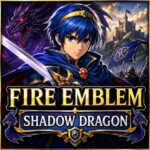
Fire Emblem: Shadow Dragon is a tactical role-playing game for Nintendo DS that lets you command Prince Marth and his army through a long war against the forces of Dolhr. Developed by Intelligent Systems and published by Nintendo, it is a remake of the original Fire Emblem: Shadow Dragon and the Blade of Light. The DS version keeps the core tactical formula while adding systems such as reclassing, weapon forging, save points, new chapters, updated visuals, and several difficulty options.
If you enjoy strategy games where one poor decision can cost an important unit, this title deserves attention. Your movement, weapon choice, unit placement, and resource use all matter during battles.
🏰 Marth's Story
The story follows Marth, the prince of Altea. His homeland falls after an invasion by Dolhr. Marth escapes and eventually starts a campaign to reclaim Altea and oppose Medeus, the Shadow Dragon.
You travel through different territories as Marth gathers allies and confronts enemy armies. The campaign also connects Marth to important characters such as Caeda, Tiki, Gharnef, and Hardin. The story is more direct than the character-heavy narratives found in later Fire Emblem games. You get the main events and important conversations, but the game does not rely on large relationship systems or long social sections.
⚔️ Battles Require Careful Planning
Combat takes place on a grid-based battlefield.
You move your army one unit at a time. Each unit has its own movement range, weapons, statistics, class, and strengths.
Before attacking, you need to check several things:
- Enemy attack range
- Your unit's movement range
- Weapon effectiveness
- HP and defensive statistics
- Terrain
- Available healing
- Possible enemy reinforcements
- Escape routes for vulnerable units
The Nintendo DS manual also gives you direct ways to view unit attack ranges and enemy ranges, which makes planning easier. A good turn can protect several units at once. A careless move can expose one character to multiple enemies.
☠️ Your Army Can Suffer Permanent Losses
Permanent death remains one of the defining mechanics of Fire Emblem: Shadow Dragon. When one of your units dies, that character normally stays gone for the rest of the campaign. Marth's death results in a Game Over.
This system changes how you approach every battle.
You may have a powerful attacker who can defeat an enemy, but that does not mean the attack is safe. You need to consider what the enemy army can do on its next turn.
The game does have a very limited revival option through the Aum staff later in the campaign, but it should not be treated as a regular healing method.
🧭 Reclassing Gives You More Control
One of the most important DS-era additions is Reclassing. Eligible characters can switch to another class from their permitted class group. This gives you more freedom when developing your army. For example, you can change a unit's role when you need a different type of fighter. You can also use reclassing to experiment with statistics and battlefield roles.
There are limits to the system, so you cannot simply turn every character into any class you want. The class groups and class limits still matter. This system is especially useful when you replay the game and want to try different army setups.
💰 Forge Weapons to Suit Your Strategy
Weapon forging gives you another way to prepare your army.
You can spend gold to modify eligible weapons. Depending on the weapon, you can improve attributes such as:
- Might
- Hit rate
- Critical rate
- Weight
Weapon weight matters because it affects a unit's speed during combat. A lighter weapon can therefore be useful for a unit that needs to maintain its attack speed. Forging also gives you room to create specialized weapons for particular units.
🛡️ Classes Define Your Army
Your army contains many different classes. Some focus on direct combat. Others provide ranged attacks, healing, mobility, or specialized abilities. You can encounter classes such as:
- Lord
- Cavalier
- Paladin
- Knight
- General
- Archer
- Sniper
- Mercenary
- Hero
- Fighter
- Warrior
- Mage
- Sage
- Cleric
- Bishop
- Pegasus Knight
- Dragon Knight
- Thief
- Horseman
- Ballistician
- Manakete
Promotion can make eligible units considerably stronger and gives them access to improved class capabilities. The DS remake also adjusts several class and progression systems from the original release.
🗡️ Weapons Matter More Than You May Expect
Your equipment choice can change the result of an encounter. Swords, lances, and axes form the familiar weapon triangle. Other weapons serve more specialized purposes. You also need to consider weapon durability and weight. A strong weapon is not automatically the best choice. Its weight, accuracy, remaining uses, and cost can all matter. For cavalry units, weapons such as Ridersbane have specific advantages against mounted enemies.
👥 A Large Army Gives You Options
You can recruit a substantial number of characters during the campaign. That makes army management an important part of the experience. You may have several units that can perform similar roles, but their statistics and growth can differ. If one unit falls, another character may be able to fill the vacant role.
This also creates room for experimentation. You can build your main force around the characters you prefer instead of relying on only a small fixed group.
🎯 Different Difficulty Levels
Shadow Dragon provides multiple difficulty settings. The original game gives you a Normal or Hard choice when you begin, while additional Hard modes become available under the game's progression rules. The higher settings increase the pressure on your army and require more careful tactical decisions.
For a first attempt, Normal is the safer starting point. Once you understand enemy ranges, weapon effects, class statistics, and promotion, higher difficulties provide a very different test of your planning.
🗺️ Extra Chapters and Special Requirements
The DS version contains additional side chapters known as Gaiden chapters. These chapters are not simply part of the normal route. Some have specific requirements connected to the size of your army.
This creates an unusual decision for you. Keeping every recruit alive is normally desirable, but accessing certain side chapters can require a smaller number of living units. That design choice is one of the more controversial parts of Shadow Dragon. Some long-time fans appreciate the unusual route requirements, while others dislike the way they interact with permanent death.
📖 The Story Takes a Back Seat to Strategy
If you mainly want deep character relationships, this game may seem sparse. The campaign gives you Marth's central story and many recruitment conversations, but it does not use the extensive support-conversation structure seen in several later Fire Emblem releases.
That means your attention stays on the map, your army, and the next tactical decision. This is also why the game has divided opinions. GameFAQs reviews repeatedly praise the combat while criticizing the limited character development and simple storytelling.
🎮 Nintendo DS and EmulatorJS Controls
The original Nintendo DS version supports both the Control Pad and buttons as well as the stylus. The official manual confirms functions for the D-pad, A, B, X, Y, L, and R buttons. For the EmulatorJS Nintendo DS setup, the common keyboard mapping is:
| EmulatorJS Key | Nintendo DS Button | Main Use |
|---|---|---|
| ↑ | D-Pad Up | Move cursor |
| ↓ | D-Pad Down | Move cursor |
| ← | D-Pad Left | Move cursor |
| → | D-Pad Right | Move cursor |
| X | A | Confirm / select |
| Z | B | Cancel / skip |
| S | X | Show enemy attack range |
| A | Y | Cycle or alternate map functions |
| Q | L | Switch status screens / history |
| W | R | Switch status screens / history |
| Enter | Start | Open menu |
| Shift | Select | Select function |
📱 Touch Controls
Since Shadow Dragon was designed for Nintendo DS, touch input is also important.
On an EmulatorJS setup with touchscreen or mouse support, you can use the touch-screen interface for commands that originally used the DS stylus.
On desktop, mouse input can be used for touchscreen interaction when supported by the emulator configuration.