

















FNF Tung Tung Tung Sahur – Ratatung
About the Game
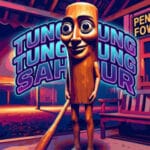
FNF Tung Tung Tung Sahur – Ratatung is a browser-based music game inspired by Friday Night Funkin'. It features the Ratatung song by Horror Skunx, where you must press the correct arrow keys in time with the music. You can choose from four difficulty levels: Easy, Normal, Hard, and Encore. The game also includes a health bar, a Fever scoring system, and special items to assist you during gameplay. Tung Tung Tung Sahur appears in the background through scenes from the original music video.
🎵 Play Along with the Ratatung Song
The entire game focuses on one musical track: Tung Tung Tung Sahur – Ratatung by Horror Skunx.
Your main task is to match the incoming arrows with the correct keyboard inputs. Each note requires accurate timing. Missing too many notes can reduce your health and end your attempt.
Keep your attention on the arrow lanes and follow the rhythm of the song. You can replay the track at different difficulty levels to improve your accuracy and highest score.
🎮 Four Difficulty Levels to Master
You can select from four difficulty settings before starting the song. Each option has a separate note chart and saved best score.
- Easy: A suitable starting point if you are new to rhythm games.
- Normal: A step above the basic chart with more demanding note patterns.
- Hard: Requires better timing and attention to incoming arrows.
- Encore: The highest difficulty setting in the game.
Start with Easy to learn the song's rhythm. Once you become familiar with the arrow patterns, try the harder options.
🔥 Earn Double Points with Fever Mode
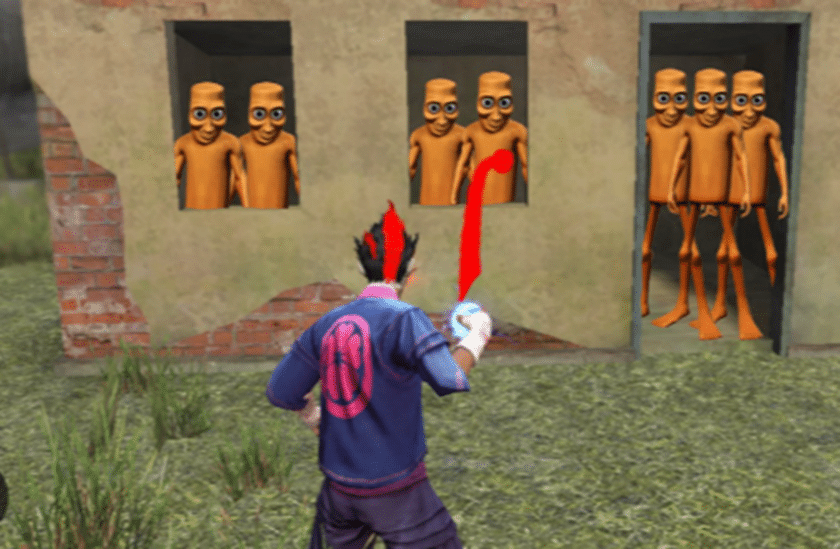
Fever is one of the main scoring features in Ratatung. The Fever meter activates during the chorus sections of the song.
Once Fever starts, your score multiplier increases to double points for ten seconds. You can also use the Tung Drum item to activate this bonus immediately.
Keep these details in mind:
- Fever activates during chorus sections.
- The scoring bonus lasts ten seconds.
- Your points receive a 2x multiplier.
- The Tung Drum item can trigger Fever without waiting for the chorus.
🎁 Unlock Special Items for Extra Assistance
Ratatung has an item system with seven available gameplay slots. You can unlock special items through the code screen, which you can access using the lifebuoy icon on the main menu.
Here is what each item does:
- Heart: Restores 25% health and has two uses.
- Lifebuoy: Keeps your health above 20% for 12 seconds.
- Shark Fin: Removes health penalties from missed notes for eight seconds.
- Bonk Bat: Automatically hits your next eight notes with GOOD ratings.
- Tung Drum: Activates Fever for ten seconds.
- Sunny: Restores 3% health per second for eight seconds.
- Orbit: Removes note wobble and wavy lanes for 15 seconds.
You can experiment with these items when you need assistance. Keep in mind that an item-assisted attempt receives an ITEM RUN label. Its score stays separate from your clean best-score records.
🎨 Try Different Visual Effects
You can unlock several optional settings to change the appearance and presentation of your rhythm session.
- Wooden Notes: Changes the arrow appearance into wooden notes.
- Party Mode: Displays confetti and small Tung characters at combo milestones.
- Mirror Mode: Swaps the left and right note lanes.
- Chaos Mode: Doubles the strength of the wobble and wavy lane effects.
- MV Theater: Provides an option to watch the complete music video.
- Tung Hit Sound: Plays a wooden knocking sound when you hit notes.
These settings give you different ways to customize your session.
💡 Tips to Improve Your Rhythm Score
- Start with Easy: Learn the song before attempting the harder charts.
- Watch the arrow lanes: Focus on incoming notes instead of the background video.
- Remember the chorus: Fever activates during the chorus sections.
- Use the Heart item: Restore health when your performance starts to suffer.
- Save the Tung Drum: Use it when you want an immediate double-score bonus.
- Practice Encore: Try the highest difficulty after you understand the other charts.
- Try Mirror Mode later: Learn the regular arrow positions before switching their directions.
🎮 Game Controls
| Action | Keyboard |
|---|---|
| Hit Left Note | Left Arrow / A |
| Hit Down Note | Down Arrow / S |
| Hit Up Note | Up Arrow / W |
| Hit Right Note | Right Arrow / D |
| Use First Available Item | Space |
| Use Specific Items | Number Keys 1–7 |
| Pause / Resume | Enter / Escape |
📱 How to Play on Mobile
- Hit Notes: Tap the matching arrow buttons on the screen.
- Use Items: Tap the available item icons during gameplay.
- Choose Difficulty: Select Easy, Normal, Hard, or Encore from the menu.
- Pause: Use the on-screen pause control if available.
- Watch the Music Video: Select MV Theater from the available visual settings.


