























One Piece vs One Punch Man
About the Game
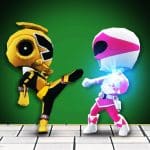
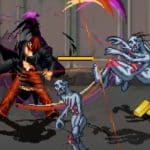
One Piece vs One Punch Man is a 2D anime fighting game where you can choose characters from two popular series and battle opponents in side-view arenas. Pick Monkey D. Luffy, Saitama, or another available fighter, then use punches, special attacks, defensive moves, and combos to win your matches. The game listing reports 110 characters and 50 stages, giving you a wide selection of fighters and battle locations.
🥊 Pick Your Favourite Anime Fighter
Your character choice affects how you approach each battle. The reported roster includes 62 characters from One Piece and 48 from One-Punch Man.
⚡ Learn the Power System
The two character groups use different approaches to special attacks.
One Piece characters
- Use special moves without spending power, according to the game's published description.
- Save the power gauge for super attacks.
- Learn attack combinations to maintain pressure on your opponent.
One Punch Man characters
- Special moves generally consume power.
- Manage your energy before using stronger attacks.
- Recharge power when you need more energy for your next move.
This difference matters during longer fights. Watch your power gauge and avoid spending energy without a clear reason.
🎯 Build Combos and Defend Yourself
Every match requires you to balance offence and defence. Normal attacks help you deal damage, while special moves provide additional attack options.
Here are the main combat techniques to learn:
- Normal attacks: Use light, medium, and heavy attacks against your opponent.
- Combos: Link attacks together to create longer sequences.
- Special moves: Enter the correct directional inputs and attack buttons.
- Blocking: Hold away from your opponent to defend against incoming attacks.
- Dodging: Use the assigned dodge action to avoid attacks and change your position.
- Super attacks: Use the power gauge for stronger attacks when the opportunity arises.
Start with basic attacks and blocking. Once you understand the timing, practise special moves and longer combos.
🎮 Game Modes to Try
The available game listing advertises several modes. Their availability may depend on the version you open.
- Arcade: Fight a sequence of opponents.
- Survival: Test how long you can last against successive opponents.
- Training: Practise attacks and learn your character's controls.
- Spectator: Watch computer-controlled fighters battle.
- Versus: Compete against another fighter.
- Co-op: Play with another person where supported.
Check the game's main menu to see which modes are available in your current version.
🕹️ How to Play
Desktop controls
The following keyboard layout is documented by the game's listing. Controls may differ between hosted versions.
- Arrow keys: Move, jump, or crouch.
- Z: Light attack.
- X: Medium attack.
- C: Heavy attack.
- S: Dodge roll or assigned secondary action.
- D: Throw or assigned additional action.
- A: Ultimate attack or character-specific action.
- Hold away from your opponent: Block.
Mobile controls
- Virtual directional pad: Move your character.
- Attack buttons: Perform normal attacks.
- Special-move inputs: Use the available on-screen buttons and directional combinations.
- Defence button: Block or dodge if the interface provides these actions.
- Super attack button: Use your strongest attack when the required conditions are met.