





















Parkour Block Maker
About the Game
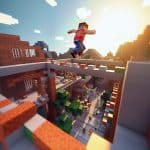
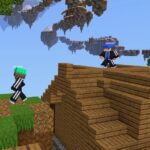
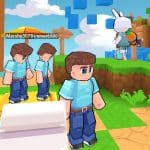
Parkour Block Maker is a 3D first-person platform game where you jump across floating blocks, avoid dangerous obstacles, and reach the finish portal. You can choose existing courses, try random levels, or create your own obstacle routes with the built-in level editor. The game focuses on jumping accuracy, movement control, and careful timing.
🏃 Jump, Run, and Reach the Next Platform
Movement control is important throughout the game. You use the WASD keys to move your character and the Spacebar to jump.
Some platforms are close together, while others require a running start. Hold Left Shift to run before attempting longer jumps.
Here are the main movement actions:
- Walking: Use WASD to move in different directions.
- Running: Hold Left Shift to gain running speed.
- Jumping: Press Spacebar to jump across gaps.
- Looking Around: Move your mouse to change your viewing direction.
🛠️ Build Your Own Obstacle Course
The level creator is one of the main reasons to try Parkour Block Maker. You can arrange platforms, place obstacles, and decide how difficult your course should be.
The editor provides different building objects, including blocks, ladders, signs, and pistons.
Here is how you can create a level:
- Open the Level Creator mode.
- Use the right mouse button to open the item selection dial.
- Select the block or object you want.
- Place platforms and obstacles in your desired positions.
- Create a route towards the finishing point.
- Test your course to check its playability.
- Publish your completed level.
🎯 First-Person Gameplay Requires Accurate Jumps
You see the course from your character's viewpoint. This makes distance judgment important, especially when you reach narrow platforms or larger gaps.
Before making a difficult jump, check:
- The distance to the next platform.
- The available running space.
- The position of the platform edges.
- Your direction before take-off.
- The landing area after a jump pad.
🎮 How to Play Parkour Block Maker
Desktop Game Controls
| Keyboard / Mouse | Action |
|---|---|
| W | Move Forward |
| A | Move Left |
| S | Move Backward |
| D | Move Right |
| Spacebar | Jump |
| Left Shift | Run |
| Mouse | Look Around |
| Right Mouse Button | Open Item Selection Dial |
| Esc Twice | Open Menu |
Mobile Game Controls
- Movement Controls: Move your character across the course.
- Jump Button: Jump between platforms.
- Touch Interface: Control your movement through the available on-screen buttons.