



































Pokemon Rhythm
About the Game
Pokemon Rhythm is a story-driven Pokemon adventure where you explore the Vedeo Region, collect Pokemon, and help Meloetta recover its lost strength. Your journey revolves around a mysterious organization called Team Echo, which has stolen Meloetta's Rhythm for its own plans. You must uncover its secrets, defeat its members, and protect the region from danger.
🎵 Your Journey with Meloetta
Meloetta plays a central role in the entire story. It is not just another Pokemon in your collection. It acts as your companion during exploration and has special interactions throughout the adventure.
Here are some interesting details about Meloetta:
- Meloetta follows you as an overworld companion.
- You can interact with it during your journey.
- Its strength is connected to the main storyline.
- It has special reactions in certain situations.
- You can keep it in your Pokemon PC without losing its overworld companion role.
Your main objective is to help Meloetta recover its lost power and stop Team Echo from carrying out its plans.
🗺️ Explore the Vedeo Region
Vedeo is the main setting of Pokemon Rhythm. You can visit different towns, travel across routes, meet NPCs, and search for hidden locations.
Exploration includes several useful activities:
- Discover Hidden Grottos and special encounter areas.
- Search for Pokemon through DexNav.
- Visit locations with different weather conditions.
- Explore during day and night cycles.
- Find special encounters through Swarm events.
- Use Soaring to explore areas from the sky.
- Access locations that require field abilities such as Dive and Rock Climb.
The day and night system also affects certain Pokemon encounters. This gives you more reasons to revisit different locations during your adventure.
⚔️ Battle with Powerful Pokemon
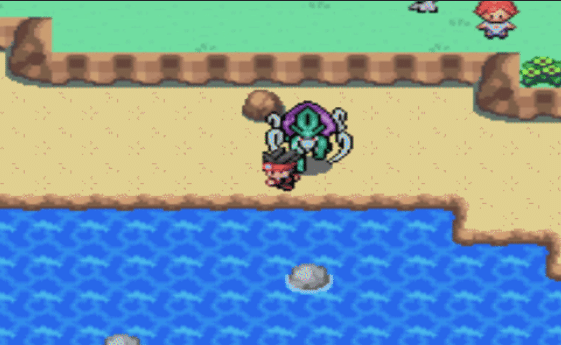
Pokemon Rhythm has an extensive turn-based battle system. You can build your team, learn different moves, train your Pokemon, and prepare for battles against trainers and powerful opponents.
The battle system includes several mechanics from different Pokemon generations.
Important battle features:
- Mega Evolution: Transform eligible Pokemon during battles.
- Z-Moves: Use powerful special attacks through the Z-Move system.
- Dynamax and Gigantamax: Increase the size and battle power of eligible Pokemon.
- Double Battles: Encounter two wild Pokemon at the same time.
- Dynamax Raids: Take part in special battles against powerful Pokemon.
- Tag Team Battles: Participate in battles with team-based rules.
- Level Scaling: Adjust enemy levels according to progression.
You can also use different strategies to build a balanced team. The physical and special move categories follow the modern Pokemon battle system.
🧬 Catch and Train Pokemon from Nine Generations
Pokemon Rhythm includes Pokemon from Generations 1 through 9. You can search for different species, train your favourites, and build a team for the main adventure and post-game activities.
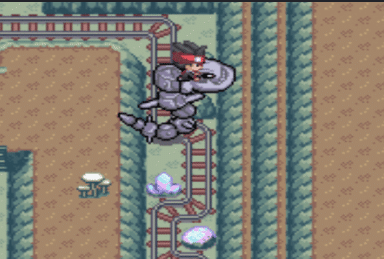
The DexNav is one of the useful tools for Pokemon hunting. It helps you locate particular species and provides information about certain encounters.
Other collection and training features include:
- Hidden Ability searches.
- Egg Move searches.
- Visible IV and EV information.
- Experience points for capturing Pokemon.
- Friendship-based experience bonuses.
- Alternative evolution methods for certain Pokemon.
- Wonder Trade with generated trading partners.
- Pokemon rental options for special battles.
You can also choose between two Experience Share systems. One distributes experience across your team, while the other follows the traditional held-item approach.
🕹️ How to Play Pokemon Rhythm
Desktop Controls
- Arrow Keys: Move your character in four directions.
- Z: B button.
- X: A button.
- A: L button.
- S: R button.
- Enter: Start.
- Right Shift: Select.
Mobile Controls
- Virtual D-Pad: Move your character.
- A Button: Confirm selections and perform actions.
- B Button: Cancel selections or return to the previous screen.
- L Button: Use the left shoulder control when required.
- R Button: Use the right shoulder control when required.
- Start: Open or control the game menu.
- Select: Use the Select function when required.