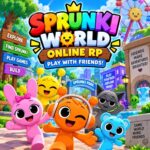












Sprunki World Online RP – Play with Friends!
About the Game
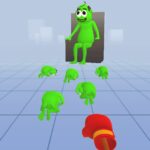
Sprunki World Online RP - Play with Friends! is a 3D multiplayer sandbox game with exploration, mini-games, obstacle courses, building, and in-game chat. You can explore different locations, search for hidden Sprunki characters, earn coins, and play alone or with others.
🗺️ Your Starting Point: Park
Your journey starts in the Park. This area contains several activities and the first Sprunki characters you can find.
You can:
- Play soccer.
- Try parkour sections.
- Ride the Ferris wheel.
- Search the area for hidden Sprunki.
- Complete mini-games to earn coins.
Coins have a practical purpose. You can use them to purchase Sprunki characters that you have discovered during exploration.
🏙️ Reach the City at Level 5
The City becomes available when you reach level 5. Its activities include obstacle-course sections, a jump-rope activity with a giant Sprunki, and hidden characters around rooftops.
If you fall during an obstacle-course section, you restart that current section. The documented game information states that you do not lose your accumulated progress or rewards from the fall.
🔎 Search Carefully for Hidden Sprunki
Finding Sprunki is one of the main activities. Some characters are visible in the locations, while others are hidden in specific areas or behind obstacle sections.
Three documented examples include:
- Pink Sprunki: Available for free in the first area.
- Purple Sprunki: Has glasses and is hidden somewhere in the starting area.
- Black Sprunki: Wears a hat and is located behind a maze with moving walls.
Once you discover characters, you can use the collected Sprunki according to the game's character system.
🧱 Obby and Block Builder
The game also includes Obby sections and a Block Builder activity. The obstacle sections require careful movement and jumping. The building system gives you blocks that can be used to create routes within the available environment.
For a smoother session, it helps to check your surroundings before making a jump. The documented restart system means a failed section sends you back to the start of that section rather than removing your earlier progress.
💬 Online and Single-Player Modes
You can choose between Online Game and Single Player modes.
Online mode supports interaction with other users through the built-in chat. You can explore locations and take part in activities while other users are present. Single Player mode is available when you want to explore and complete activities on your own.
🎮 Game Controls
PC Controls
- W / A / S / D: Move
- Arrow Keys: Move
- Space: Jump
- Mouse: Control the camera
- Right Mouse Button: Click buttons
- TAB: Lock or unlock the cursor
Mobile Controls
- Virtual Joystick: Move
- Finger Drag: Control the camera
- Tap: Interact with buttons