














Sprunki: Saja Boys Treatment
About the Game
Sprunki: Saja Boys Treatment is a browser-based music creation game where you arrange characters to create different sound combinations. Each character contributes a musical part, so you can build your own mix by selecting and positioning different characters.
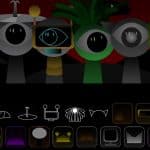
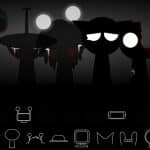
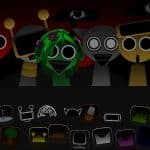
The game uses a dark Saja Boys-inspired visual theme. Character designs use details such as dark clothing, colored markings, hats, masks, and other visual elements. The interface also uses character icons that you can select during your music session.
🎵 Create Your Own Music Mix
Your main task is to create music through character placement.
You can select a character and place it in an available position. Each selection contributes another sound to your composition. You can then change the arrangement and listen to a different combination.
The documented sound categories include:
- Rhythmic sounds
- Melodic sounds
- Vocal elements
- Sound effects
- Other supporting audio parts
This setup gives you a simple way to test different character combinations without a conventional stage-based progression.
🎤 Characters Have Different Sounds
Characters serve an important role in the music system. Your selection determines which audio layer becomes part of the current mix.
Documented character examples include:
- Pinky
- Skye
- Mr. Sun
- Simon
- Tunner
- Clucker
- Funbot
- Mr. Tree
- Orin
- Ratty
Some sources describe Clucker and Funbot as useful rhythm-focused selections. Mr. Sun also has a recognizable sound contribution. These differences give you several combinations to test while creating a mix.
🌑 Dark Visual Style
The visual presentation uses darker colors and supernatural-inspired character designs.
Several documented visual details include:
- Dark clothing
- Yellow eyes
- Violet facial markings
- Magenta background elements
- Blue outlines
- Hexagonal character icons
- Character-specific accessories
Mr. Tree is also described with cherry-blossom-style visual details.
🖱️ How to Play
Desktop Controls
- Mouse Click: Select interface elements.
- Drag & Drop: Place a character into an available position.
- Reset: Clear the current arrangement and create another mix.
📱 Mobile Controls
- Tap: Select an available character or interface option.
- Touch & Drag: Move a character into an available position.
- Reset: Clear your current arrangement when the option is available.