































Super Mario 64: Multiplayer
About the Game
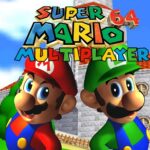
Super Mario 64: Multiplayer is a fan-made modification of Super Mario 64 that expands the original single-player experience by allowing multiple characters to explore the game together. The project became popular within the Nintendo 64 modding community because the original Super Mario 64 was designed exclusively for one player. Through custom programming and ROM hacking, fans transformed the adventure into a cooperative experience.
The modification keeps the foundation of Super Mario 64 while giving you the opportunity to see several characters moving through the same worlds at the same time.
👥 What's Included?
- Based on Super Mario 64
- Multiplayer support
- Multiple playable characters
- Cooperative exploration
- Classic Power Star objectives
- Original Nintendo 64 worlds
- Fan-made modification
- Shared gameplay sessions
🏰 The Original Adventure Remains
The story follows the same premise as Super Mario 64.
After receiving an invitation from Princess Peach, Mario arrives at Peach's Castle only to discover that Bowser has taken control of the castle and stolen its Power Stars.
Your goal remains the same: collect Power Stars, unlock new areas, and eventually defeat Bowser.
🌟 Explore Courses Together
One of the biggest changes is the ability to experience levels with additional characters present.
Depending on the version, you may encounter playable characters such as:
- Mario
- Luigi
- Yoshi
- Wario
Character availability can vary between different releases of the multiplayer project.
🗺️ Familiar Worlds Return
You can revisit many classic Super Mario 64 locations, including:
- Bob-omb Battlefield
- Whomp's Fortress
- Cool, Cool Mountain
- Big Boo's Haunt
- Shifting Sand Land
- Tiny-Huge Island
- Rainbow Ride
The objectives and level layouts generally remain faithful to the original Nintendo 64 game.
🎯 A Different Way to Collect Stars
Many Power Star missions were originally designed for a single character.
Multiplayer changes the experience because multiple participants can explore the same area at once. Some tasks become easier when several characters search different parts of a level simultaneously.
This creates a different perspective on courses that many fans have played for years.
🎮 How to Play
EmulatorJS Controls
| Action | Control |
|---|---|
| Move | Arrow Keys |
| Jump (A) | Z |
| Attack / Action (B) | X |
| Start | Enter |
| L Button | A |
| R Button | S |
| C Buttons | I, J, K, L |
Mobile Controls
- Use the virtual joystick or D-Pad to move.
- Tap A to jump.
- Tap B to attack and interact with objects.
- Use on-screen camera buttons when available.
- Access Start through the emulator menu.
💡 Tips
- Learn camera controls early because they are important during platforming sections.
- Collect easier Power Stars first to unlock more courses.
- Explore every corner of a stage because many stars are hidden.
- Practice long jumps and wall jumps to reach difficult areas.
- Coordinate exploration if your version supports cooperative play.