





















Mine – Survival and Creative
About the Game
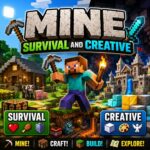
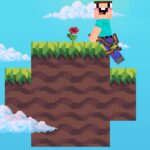
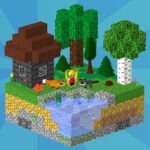
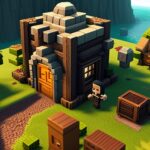
Mine - Survival and Creative is a 3D sandbox game from TrickyBit. You can create a voxel world and choose between Survival and Creative modes.
Survival focuses on gathering materials, crafting tools, managing health and hunger, exploring underground areas, and preparing for nighttime dangers. Creative mode removes the survival requirements and gives you flight with access to the available building materials.
🌲 Your First Steps in Survival
Survival starts with very limited resources. Your first useful material is wood. You can collect logs from trees and turn them into planks. A crafting table then becomes an important part of your early progression.
From there, you can create basic tools and improve your equipment as you collect better materials.
The documented progression includes:
- Collecting wood
- Making wooden tools
- Gathering stone
- Crafting stone tools
- Mining for ores
- Crafting iron equipment
- Making a furnace
- Searching deeper areas for valuable materials
🧱 Mining Is Your Main Resource Loop
Mining forms a central part of Survival Mode. You can dig below the surface and search caves for useful materials. The available game information specifically mentions ores and diamonds, with valuable resources found deeper underground.
Your mining trips also connect with other survival systems. You need tools for excavation, food for hunger, and suitable preparation before spending extended time underground.
🌍 Every New World Has Different Terrain
The game uses procedurally generated worlds.
The documented environments include:
- Forests
- Plains
- Mountains
- Caves
- Water
- Lava
This system creates the terrain when you create a world. You can then mine through it, collect resources, and reshape the surroundings with your own structures.
🌙 Prepare Before Night Falls
Survival does not stop at gathering resources.
Health and hunger are active systems. Nighttime also creates additional danger because hostile creatures appear after dark. You can prepare by collecting food and building a shelter before night arrives.
A simple early routine works well with the documented mechanics:
- Collect wood.
- Create basic tools.
- Gather stone.
- Make a crafting table.
- Prepare food.
- Build a shelter.
- Craft torches.
- Explore caves and search for better materials.
These steps follow the game's documented survival progression rather than a fixed story campaign.
🎨 Creative Mode Changes the Rules
Creative Mode has a very different purpose.
You do not need to gather resources for every construction project. The mode gives you access to the available blocks and flight, while the normal Survival health and hunger requirements do not apply.
You can use this mode for large construction projects such as:
- Houses
- Castles
- Towns
- Large block structures
- Landscape designs
- Experimental builds
The absence of resource collection makes Creative better suited to construction work where you want to concentrate on the design itself.
🚤 Water Has a Practical Purpose
Boats are part of the documented gameplay.
Water appears as one of the generated terrain types, and boats provide a way to travel across these areas. This gives water more importance than simply being part of the scenery.
🏠 Your Worlds Stay Saved
You can create multiple worlds and rename them.
Saved worlds retain the things you build and collect, so you can return to previous projects in later sessions.
This is useful if you want one world for Survival and another for large Creative constructions.
🏆 19 Achievement Milestones
The current OopsGames listing records 19 achievements.
Some documented milestones include:
- Taking Inventory — Open your inventory.
- Getting Wood — Collect a log.
- Benchmarking — Craft a crafting table.
- Time to Mine! — Craft a wooden pickaxe.
- Getting an Upgrade — Craft a stone pickaxe.
- Isn't It Iron Pick — Craft an iron pickaxe.
- Hot Topic — Build a furnace from eight cobblestones.
These achievements give you clear objectives during the early stages of Survival Mode.
🕹️ Game Controls
The following keyboard controls are documented for the game:
| Key | Function |
| WASD | Move |
| Double-tap W / Ctrl | Sprint |
| Space | Jump |
| Left Mouse Button | Break blocks |
| Right Mouse Button | Place blocks |
| 1–9 | Select an item or block |
| Q | Drop selected item |
| Ctrl + Q | Drop a stack |
| E | Open inventory |
| Esc | Pause |
📱 Playing on Mobile
- Move: Use the on-screen movement stick to walk around the world.
- Perform Actions: Use the on-screen action buttons for available gameplay actions.
- Explore: Use the touch controls to move around, mine, build, and interact with the world.
- Change Orientation: Turn your phone or tablet to landscape mode if the controls cover part of the game view.