
































Super Mario 64 Shadow Edition Plus
About the Game
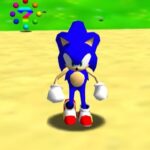
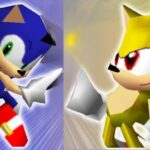
Super Mario 64 Shadow Edition Plus is a 3D platform adventure game where you control Shadow the Hedgehog across familiar stages, collect items, defeat enemies, and complete different objectives. Your main abilities include high-speed running, Spin Dash, Homing Attack, rolling, and Bound Jump. These moves give you several ways to cross platforms, reach targets, and deal with obstacles.
🏰 Explore Different Stages
The adventure includes several familiar locations and stage objectives. You can explore castle areas, climb mountains, complete sliding sections, and search for collectibles.
Some documented stage names include:
- Big Bob-omb on the Summit
- Inside the Castle's Walls
- Secret Slider Stage
- Chip Off Eggrobo's Block
- Treasure of the Ocean Cave
- Scale the Mountain
- Roll into the Cage
- The Big House in the Sky
- Endless Stairs
Each location has its own objectives. Some focus on platforming, while others require exploration, speed, or combat skills.
💎 Collect Items and Complete Objectives
Collectibles play an important role in your progress. You can search different areas for items and complete stage objectives.
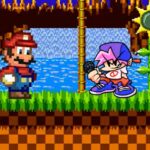
The Sonic-themed presentation includes familiar collectibles and characters from the series.
Some documented elements include:
- Rings
- Collectible shards
- Chao
- Boot Capsules
🎮 How to Play Super Mario 64 Shadow Edition Plus
Game Controls for Desktop
| Keyboard Key | Action |
|---|---|
| Arrow Keys | Move Shadow |
| X | A Button |
| S | B Button |
| Z | Z Trigger |
| A | C-Down |
| Q | L Button |
| E | R Button |
| Enter | Start |
Important Moves
- Press Z to roll into a ball.
- Crouch and repeatedly press B to perform the Spin Dash.
- Use the Homing Attack against targets.
- Use Bound Jump for the corresponding jumping ability.
- Perform repeated jumps underwater.
Mobile Controls
- Virtual D-Pad: Move Shadow in different directions.
- A Button: Perform the action assigned to A.
- B Button: Use the action assigned to B, including Spin Dash input when crouching.
- L Button: Use the left shoulder control.
- R Button: Use the right shoulder control.
- Start: Start or pause the game.
- Select: Use the emulator's Select input.