























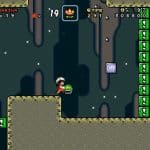











Super Mario Another Retro 2
About the Game
Super Mario Another Retro 2 is a 2D side-scrolling platform game where you guide Mario through a series of stages filled with platforms, enemies, obstacles, and hidden routes. The game is credited to Zavok and features a reported total of 81 exits. You need to explore each level, time your jumps carefully, and look for alternate paths if you want to discover everything the adventure offers.
🍄 Take Mario Through Each Stage
Your main task is to guide Mario through the available levels and reach their exits. You run across platforms, jump over gaps, avoid hazards, and deal with enemies along the way.
Each stage requires attention to the terrain ahead. A poorly timed jump can send Mario into a hazard, while careful movement helps you reach the next platform safely.
Keep these basic actions in mind:
- Run across safe ground to maintain your progress.
- Jump over gaps and obstacles.
- Watch enemy movement before approaching.
- Check side paths for possible alternate routes.
- Reach the exit to complete the stage.
🎨 Retro Graphics with Detailed Backgrounds
The game uses a classic 16-bit platforming style. Its stages feature different color palettes and background designs. The available review highlights the visual presentation of skies, caves, and aquatic areas.
The review also mentions HDMA, a graphics technique associated with the Super Nintendo. This technique can create effects such as horizontal color gradients across a scene.
These visual details give the environments variety while the core gameplay remains focused on running and jumping.
🎵 Music for Your Platforming Journey
Music is another notable part of the game. The published review describes a soundtrack with original compositions, arrangements of music from other games, and remixes associated with the Mario series.
The complete track list and the exact music used in every stage are not confirmed in the available sources. You can explore the soundtrack as you progress through the different environments.
🎯 Master Your Jump Timing
Good timing is important throughout the adventure. You need to judge the distance between platforms, watch the position of enemies, and decide when to jump.
Helpful techniques
- Check the landing area: Look at the next platform before jumping.
- Watch moving hazards: Wait for a safe opening when necessary.
- Explore side paths: Search for routes that may lead to another exit.
- Avoid rushing: A careful approach can help you handle difficult sections.
- Track your progress: Keep a record of the exits you have already found.
🎮 How to Play
Desktop controls
- Arrow keys: Move Mario left or right.
- Jump button: Jump over gaps and reach higher platforms.
- Run button: Run when the stage requires greater movement speed.
- Enter: Start the game if assigned to the Start function.
- Shift: Use the Select function if assigned by the emulator.
Mobile controls
- Virtual directional pad: Move Mario left or right.
- Jump button: Jump across gaps and onto platforms.
- Run button: Run when needed.
- Start: Begin the game or use the assigned menu function.
- Select: Use the assigned selection function, where supported.