

































Super Mario World: Tsunami Island
About the Game
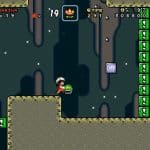
Super Mario World: Tsunami Island is a Super Mario World game created by PROMETHEUS and released in 2013. Instead of offering dozens of short stages, this hack focuses on six large levels packed with hidden paths and optional secrets. It uses the original Super Mario World engine, so you will recognize the familiar movement, controls, and power-ups from the SNES classic.
🌴 A Different Style of Mario Adventure
Most Super Mario World games increase their length with many levels. Tsunami Island follows another direction. Here is what makes it different:
- Six carefully designed main levels.
- Large environments with multiple routes.
- Hidden areas throughout each stage.
- Optional secrets for extra exploration.
- Replay value through alternate paths.
🏝️ What Awaits You on the Island
The hack follows the traditional Mario adventure. The main focus stays on platforming and exploration instead of a detailed story. As you travel across the island, you will encounter:
- Classic side-scrolling platform stages.
- Familiar Super Mario World enemies.
- Hidden passages.
- Secret exits in selected locations.
- Coins and power-ups.
- Platform sections that become more demanding as you progress.
🔍 Exploration Takes Center Stage
One reason many game fans recommend Tsunami Island is its level design. You can expect:
- Multiple paths inside the same level.
- Hidden rewards behind careful exploration.
- Areas that encourage a second visit.
- Optional objectives beyond the normal exit.
🎨 Graphics and Overall Presentation
The hack keeps the visual style of Super Mario World. You will notice:
- Original SNES graphics.
- Custom stage layouts.
- Familiar Mario animations.
- New environmental arrangements built within the Super Mario World engine.
🎮 Game Controls (EmulatorJS)
You can play this game directly on Y9FreeGames through EmulatorJS.
Keyboard Controls
- Arrow Keys – Move Mario
- Z – B Button (Run / Pick Up Item)
- X – A Button (Spin Jump)
- A – Y Button (Run)
- S – X Button
- Enter – Start
- Shift – Select
Mobile Controls
- On-screen D-Pad – Move
- On-screen buttons – Jump, Spin Jump and Run
- Touch Start and Select buttons
Controls may vary slightly depending on your EmulatorJS settings.