














The Tall Man
About the Game
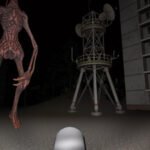
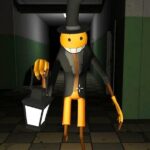
The Tall Man is a first-person survival-horror game set in a dark forest. Your goal is to search the area for nine hand-drawn pages while avoiding a supernatural enemy called the Tall Man. The game uses a low-poly 3D style, limited visibility, a flashlight, stamina management, and a map to support its exploration-based gameplay.
🌲 Search the Dark Forest
You explore a forest with several recognizable locations. These include abandoned structures, old vehicles, cemetery areas, paths, and open sections surrounded by trees and fog.
The darkness limits your view. Your flashlight becomes an important tool when you search for pages or inspect areas away from the main paths.
The map can also help you keep track of your position.
📄 Your Main Objective
Nine pages are scattered around the forest.
You need to locate these pages as you explore. The pages are hand-drawn notes and serve as the game's main collection objective.
Page locations can vary between runs according to available game descriptions. This means you may need to search different parts of the forest instead of relying on one route every time.
🔦 Watch Your Flashlight Battery
Your flashlight has limited battery power. Its battery does not recharge.
This makes flashlight use an important part of your decisions. You can use it to inspect dark areas, then switch it off when you have enough visibility.
Saving battery can become useful later in your search.
🏃 Stamina Can Save You
Sprinting uses stamina.
You need to manage it carefully when the Tall Man gets close. Constant sprinting can leave you without enough stamina when you need to create distance.
Walking and sprinting therefore serve different purposes during exploration.
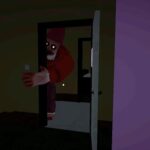
👤 The Threat Changes as You Progress
The Tall Man becomes more aggressive as you collect additional pages.
Audio disturbances, static, and other warning effects can signal an increase in danger. Screen distortion can also occur during encounters.
Breaking away from the Tall Man and creating distance are important survival actions.
🗺️ Use the Map
The forest contains several areas that can look similar at first.
You can press M to open the map in the documented keyboard layout. Use it to check your position and maintain a better sense of direction.
Recognizable locations can also help you remember where you have already searched.
🎮 How to Play
| Key / Input | Action |
|---|---|
| W | Move forward |
| A | Move left |
| S | Move backward |
| D | Move right |
| Mouse | Look around |
| F | Toggle flashlight |
| M | Open map |
| P | Pause / resume |
| F11 | Fullscreen |
Mobile Controls
- Use the on-screen movement controls to walk.
- Use the touchscreen action control for the flashlight.
- Use the available map control when you need to check your location.
- Use landscape orientation if the game interface provides that option.