




























Final Fantasy IV Namingway Edition
About the Game
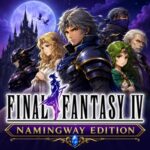
Final Fantasy IV Namingway Edition is a Super Nintendo (SNES) game based on the original Final Fantasy IV. It keeps the complete story, battle system, graphics, and music from the original release. The main goal of this project is to improve the English localization with a more accurate script, restored names, and terminology that matches later Square Enix releases.
📖 A Classic Story with a Better Translation
You begin your adventure as Cecil Harvey, the captain of the Red Wings. After questioning his kingdom's actions, your journey leads across the world alongside characters such as Kain Highwind, Rosa Farrell, Rydia, Tellah, Edge, and many others.
✍️ Why Namingway Edition Is Different
This game focuses on translation quality instead of gameplay changes. You will notice improvements such as:
- More accurate English dialogue
- Restored character names
- Correct spell names
- Improved item names
- Better enemy terminology
- More natural conversations
⚔️ Original Battle System Remains
Nothing changes in the combat mechanics. You still use the classic Active Time Battle (ATB) system throughout the adventure. Your party can:
- Use physical attacks
- Cast white and black magic
- Summon powerful creatures
- Equip stronger weapons and armor
- Learn character-specific abilities
🌎 Faithful to the SNES Release
Final Fantasy IV Namingway Edition preserves nearly everything from the original game. You still explore:
- Towns
- Castles
- Dungeons
- The overworld
- The Underworld
- The Moon
🎵 Original Music by Nobuo Uematsu
The soundtrack uses the original compositions by Nobuo Uematsu. Every memorable theme remains available, including:
- Battle music
- Town themes
- Dungeon tracks
- World map music
- Boss themes
⭐ Why Many Fans Prefer This Version
This project focuses on accuracy instead of difficulty. Some of its strongest points include:
- Faithful English localization
- Better script consistency
- Original gameplay
- Original visuals
- Original soundtrack
- Better alignment with later Final Fantasy releases
🎮 Game Controls (EmulatorJS)
Keyboard Controls
- D-Pad – Arrow Keys
- A Button – X
- B Button – Z
- L Button – A
- R Button – S
- Start – Enter
- Select – Right Shift
Mobile Controls
- Tap the on-screen D-Pad to move your character.
- Tap the A and B buttons to confirm actions and cancel menus.
- Use the L and R buttons during menu navigation if needed.
- Tap Start and Select through the touch controls.