












Kirby’s Halloween Adventure
About the Game
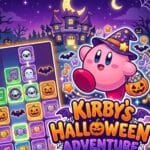
Kirby's Halloween Adventure is a fan-made NES game based on Kirby's Adventure. Kirb-Star created the project as a Halloween-themed modification, and later development turned it into a much larger project with custom level layouts, tilesets, enemy sprites, palettes, and other changes.
👻 A Strange Change Comes to Dream Land
The story keeps the basic structure of Kirby's Adventure.
A mysterious force takes control of Dream Land. The land receives a Halloween-themed transformation, and King Dedede comes under its influence. The Star Rod once again becomes central to the adventure.
Your main objective is to travel through the different areas, recover the Star Rod pieces, and defeat the enemies that stand in your way.
🕯️ Every World Gets a Different Theme
One of the strongest parts of this game is its variety.
You do not see the same Halloween decoration repeated across every stage. The project uses different palettes, tilesets, and environments for its areas.
Some documented themes include:
- Graveyards
- Haunted towers
- Pirate harbors
- Circuses
- Museums
- Factories
- Volcanic locations
- Wild West areas
- Underground galleries
- Nighttime seaside locations
The custom tileset collection includes areas such as Circus, Factory, Graveyard, Old Tower, Underground Gallery, Volcanic Temple, and Wild West.
🧟 Your Familiar Enemies Get New Designs
Kirby still encounters familiar enemies, but many receive new artwork.
The project creator documented modified enemy sprites across the game. Some enemies have several visual variations.
Examples include:
- Halloween-themed Waddle Dees
- Modified Waddle Doos
- Ghost-style enemies
- Pirate-themed enemies
- Devil-themed variants
- Modified Bronto Burts
The hack also contains custom boss and enemy artwork. The documented sprite collection includes Heavy Mole, King Dedede, Kracko's Revenge, Meta Army, Nightmare Angel, Nightmare Reaper, Tuxedo Knight, and Yggy Woods Jr.
🎮 The Original Kirby Formula Still Matters
Your basic Kirby abilities remain central to the game.
You can:
- Inhale enemies.
- Swallow enemies.
- Copy certain enemy abilities.
- Float through the air.
- Jump across platforms.
- Attack enemies.
- Explore side-scrolling stages.
- Fight bosses.
🎨 The Underground Gallery Deserves Attention
The Underground Gallery is one of the more unusual locations in the project.
The area contains framed artwork connected to other locations in the game. The route eventually reaches a museum and an art studio before an encounter with Adeleine.
This section shows how the hack uses environmental design for more than decoration. The artwork itself becomes part of the setting.
🧪 Mount Mist Goes Into a Laboratory
Mount Mist contains an abandoned laboratory section.
You can encounter:
- Industrial machinery
- Warehouses
- Conveyor belts
- Metallic crates
- Test tubes
- Alien-themed enemies
- Heavy Mole
Some laboratory containers can break and release enemies.
The setting is a notable departure from the usual grassy Dream Land environments.
🎪 Custom Sub-Games Are Included
The hack also contains custom work outside the main stages.
The documented sprite archive lists two sub-games:
- Crane Fever Plushies
- Quick Draw's Rogues Gallery
The HUD and ability icons also have dedicated custom assets.
These details show the amount of work that went into the project beyond the main level graphics.
🌙 Halloween Without Turning Kirby Into a Horror Game
The project uses ghosts, graveyards, dark areas, monsters, pumpkins, abandoned buildings, and other seasonal imagery.
However, community discussion describes the game as family-friendly rather than a horror-focused Kirby hack. It does not rely on shock scenes or creepypasta-style effects. That approach suits Kirby's original tone.
🎮 How to Play Kirby's Halloween Adventure
| Action | EmulatorJS Control |
| Move Left | Left Arrow |
| Move Right | Right Arrow |
| Move Up | Up Arrow |
| Move Down | Down Arrow |
| A Button | X |
| B Button | Z |
| Start | Enter |
| Select | Shift |
Mobile controls: On mobile devices, use the on-screen EmulatorJS D-pad and NES buttons. The exact arrangement depends on the EmulatorJS layout configured on the site.