























Super Mario Bros. – Two Players Hack
About the Game
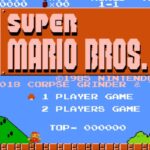
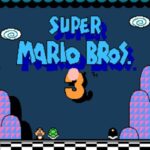
Super Mario Bros. – Two Players Hack is a fan-made game of for the Nintendo Entertainment System (NES). The hack modifies the original game so that two people can play together at the same time instead of taking alternating turns. The original platforming mechanics, enemies, stages, and objectives remain largely unchanged, while the multiplayer feature changes how you experience the adventure.
👥 Play together on the same screen
The biggest difference from the original NES release is simultaneous multiplayer.
During the game:
- Two characters appear on screen together.
- Both players move through the same level at the same time.
- You work through stages cooperatively.
- Either player can defeat enemies and collect items.
The objective remains the same as the original game: travel through the Mushroom Kingdom and rescue Princess Toadstool from Bowser.
🍄 Classic Super Mario Bros. gameplay
The hack keeps the gameplay that made the original game one of Nintendo's most recognizable platformers.
You can:
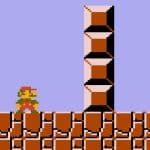
- Run and jump across side-scrolling levels.
- Defeat enemies by jumping on them or using Fireballs after obtaining a Fire Flower.
- Collect Super Mushrooms, Fire Flowers, and 1-Up Mushrooms.
- Enter underground bonus areas through pipes.
- Reach the flagpole to complete each stage.
⭐ What stays the same?
Most of the original game remains intact.
Core features include:
- Original level layouts.
- Familiar enemies such as Goombas, Koopas, and Piranha Plants.
- Eight worlds with multiple stages.
- Hidden blocks and bonus areas.
- Classic 8-bit graphics and music.
The primary modification is the addition of simultaneous two-player gameplay.
🎮 EmulatorJS Controls
Since this is an NES game, these are the standard EmulatorJS controls.
Player 1
- Arrow Keys – Move
- Z – A Button (Jump)
- X – B Button (Run / Fireball)
- Enter – Start
- Backspace – Select
Player 2
If EmulatorJS has a second controller enabled, Player 2 uses the second controller mapping configured in the emulator settings. The exact keys depend on your EmulatorJS controller configuration.
Mobile Controls
- Use the on-screen NES controls.
- External Bluetooth controllers can be used if your browser and emulator configuration support a second controller.
💡 Helpful Tips
- Stay close to each other because both characters share the same screen.
- Decide who will collect power-ups when only one item is available.
- Watch for enemy movement before both players jump into narrow areas.
- Practice communication during castle stages where timing becomes more important.