


































Crash Bandicoot and the Retro Dimension
About the Game
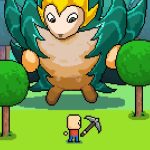
Crash Bandicoot and the Retro Dimension is a Super Mario World game created by Bandicoot for the Super Nintendo Entertainment System. The project transforms Nintendo's classic platformer into a new Crash Bandicoot adventure with original levels, custom mechanics, collectible objectives, and an entirely new story. Instead of simply replacing Mario's appearance, this hack recreates several signature Crash Bandicoot abilities inside the Super Mario World engine.
🥭 A New Mission Across The Retro Dimension
This adventure follows Crash Bandicoot after he becomes trapped inside a mysterious Retro Dimension. Dr. Neo Cortex is once again responsible for the trouble, and your mission is to travel across numerous worlds to stop his latest plan. Along the way you will also meet Coco Bandicoot and explore stages created specifically for this original story.
🎮 Familiar Platforming With Crash's Signature Moves
Although the game runs on the Super Mario World engine, Crash controls much differently than Mario. Your abilities include:
- Spin Attack
- Slide
- Body Slam
- Running movement inspired by the original Crash Bandicoot games
Each move plays an important role during exploration, combat, and hidden collectible hunting.
💎 Collect Gems, Relics And More
Collectibles play a much larger role than they do in the original Super Mario World. During your adventure you can collect:
- Gems
- Relics
- Wumpa Fruit
- Golden Wumpas
🌎 Explore A Massive Adventure
Crash Bandicoot and the Retro Dimension contains a surprisingly large amount of content. The game includes:
- 86 playable levels
- 102 exits
- 94 Gems
- 86 Relics
- Multiple custom boss battles
- Hidden secrets throughout the campaign
🎨 Built Specifically For Crash Bandicoot Fans
Nearly every part of the presentation has been customized. You will notice:
- Crash Bandicoot character sprites
- Original enemy graphics
- Crash-inspired environments
- Custom soundtrack
- New visual effects
- Original animations
🎮 How to Play
EmulatorJS Keyboard Controls
- Arrow Keys – Move
- Z – B Button (Jump)
- X – A Button (Spin / Action)
- Enter – Start
- Backspace – Select
- A – L Button
- S – R Button
Mobile Controls
- Use the on-screen D-Pad to move Crash.
- Tap the action buttons to jump, spin, and perform other moves.
- Use the on-screen Start and Select buttons whenever needed.