
































Pokemon Recharged Yellow
About the Game
Pokemon Recharged Yellow is a Game Boy Advance game created by Jaizu and built on the Pokémon Emerald engine. It recreates the classic Pokémon Yellow adventure while keeping the original Kanto storyline intact. You begin your journey with Pikachu, travel across Kanto, battle Gym Leaders, stop Team Rocket, and work toward becoming the Pokémon League Champion.
It respects the original Pokémon Yellow experience instead of replacing it. Most improvements focus on smoother gameplay, modern mechanics, and useful quality-of-life upgrades. If you enjoy classic Pokémon adventures, this version offers one of the most polished ways to revisit Kanto.
⚡ A Familiar Kanto Journey with Modern Improvements
The story follows the same adventure from Pokémon Yellow. Your journey includes:
- Start in Pallet Town with Pikachu
- Collect all eight Gym Badges
- Battle your rival
- Stop Team Rocket's plans
- Defeat the Elite Four
- Become the Pokémon League Champion
The game also includes encounters inspired by Pokémon: Let's Go, Pikachu!, including appearances from Jessie, James, and Meowth during several parts of the adventure.
🌍 Why This Version Stands Out
Pokemon Recharged Yellow keeps the original map while updating many gameplay systems. Some of the biggest improvements include:
- Pokémon Emerald battle engine
- Generation III graphics
- Following Pokémon system
- Day and night cycle
- Always Run option
- Faster text speed
- Modern menu interface
- Expanded move compatibility
- Support for several mechanics from later Pokémon generations
These improvements make long play sessions much smoother than the original Game Boy release.
👣 Your Partner Walks Behind You
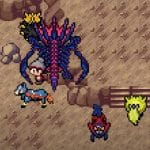
One of the most popular features is the follower system. Your lead Pokémon appears behind your character while exploring Kanto. This feature pays tribute to the original Pokémon Yellow while also taking inspiration from Pokémon: Let's Go, Pikachu! It gives every route and town a little more personality without changing the classic adventure.
🏆 Choose Your Preferred Difficulty
You are not limited to one difficulty setting. Available options include:
- Normal Mode
- Hard Mode
- Nuzlocke Mode
- Level Cap Mode
These choices make the adventure suitable for both casual Pokémon fans and experienced trainers who want stricter rules.
🎮 Battle System and Gameplay
Combat stays true to the traditional Pokémon formula. During your adventure you will:
- Catch wild Pokémon
- Train your team
- Learn new moves
- Battle Gym Leaders
- Earn badges
- Use held items
- Build different team strategies
The Emerald engine also provides smoother battles and improved menus compared to the original Pokémon Yellow.
🚀 More Than a Visual Upgrade
Pokemon Recharged Yellow focuses on gameplay improvements instead of changing the entire game. You will notice:
- Better overworld graphics
- Updated Pokémon sprites
- Improved battle interface
- Real-Time Clock support
- Berry system
- Pokémon Contests
- Expanded post-game content
- Sevii Islands content after the Pokémon League
The original Kanto layout remains recognizable throughout the adventure.
👥 Jessie, James, and Meowth Return
Fans of the Pokémon anime will recognize several familiar faces. Jessie, James, and Meowth appear throughout the story and battle you multiple times. These encounters follow ideas from Pokémon Yellow and Pokémon: Let's Go, Pikachu! Their appearances help make Team Rocket more active during your journey.
🎯 Reasons to Play Pokemon Recharged Yellow
If you enjoy classic Pokémon games, this game offers several worthwhile improvements.
Highlights
- Built on the Pokémon Emerald engine
- Classic Kanto adventure
- Pikachu as your starter
- Following Pokémon
- Multiple difficulty options
- Day and night system
- Modern battle mechanics
- Jessie and James encounters
- Expanded quality-of-life features
- Additional post-game content
🎮 EmulatorJS Controls
Keyboard Controls
- D-Pad — Arrow Keys
- A Button — X
- B Button — Z
- L Button — A
- R Button — S
- Start — Enter
- Select — Right Shift
Mobile Controls
- Virtual D-Pad
- On-screen A and B buttons
- L and R buttons
- Start and Select buttons