

















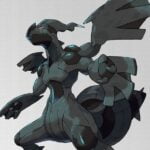

















Pokemon Spirit Version
About the Game
Pokémon Spirit Version is a Pokémon role-playing game listed for the Game Boy Advance, with Masl credited as its creator and version 0.8 recorded in an online game catalogue. The available information about this title is limited, so its specific storyline, regional map, and unique features remain unverified. You can approach the game as a Pokémon adventure, but the exact content should be confirmed through gameplay.
🎮 Start Your Pokémon Adventure
Pokémon Spirit Version belongs to the Pokémon RPG category. The listed Game Boy Advance platform uses a classic handheld presentation with menus, character movement, and turn-based battles as seen in this style of Pokémon game.
Your main task in a Pokémon RPG is to build a team, train your Pokémon, and use suitable moves during battles. However, the exact starting location, available Pokémon, and objectives in Pokémon Spirit Version have not been independently confirmed.
⚔️ Pokémon Battles and Team Strategy
Turn-based combat is a core feature of classic Pokémon RPGs. You select moves from a battle menu and use your Pokémon's abilities to defeat opponents.
Here are some basic concepts to keep in mind if they appear in your version:
- Team selection: Review your available Pokémon and choose a team that suits your preferred battle style.
- Move choice: Check the available moves before you select an attack.
- Type matchups: Learn which Pokémon types are effective against your opponents.
- Training: Gain experience through battles when the game provides experience and level progression.
- Team management: Check your party and available items before entering difficult battles.
These are general Pokémon RPG strategies. The exact battle rules and available features in Pokémon Spirit Version require direct verification.
🕹️ How to Play Pokémon Spirit Version
Desktop Controls
- Arrow Keys: Move your character or navigate menus.
- Z: A button; commonly used to confirm selections.
- X: B button; commonly used to cancel or return.
- Enter: Start.
- Right Shift: Select.
- A / S: L / R shoulder buttons in the standard EmulatorJS keyboard layout.
Mobile Controls
- Virtual D-pad: Move your character and navigate menus.
- A Button: Confirm selections and interact with objects.
- B Button: Cancel or return to the previous screen.
- Start: Open or confirm menu actions where supported.
- Select: Use functions assigned to Select by the game.
- L / R Buttons: Use shoulder-button functions when required.